
Every iPad needs something wrapped around it, and the choice usually lands between two camps: a slim folio that protects and props, or a keyboard case that turns the tablet into a mini laptop. Both are good, but they suit different lives, and buying the wrong one means carrying weight you never use or missing the keys you always needed. Here is a clear comparison to get it right the first time.
The Short Answer
Choose a folio if your iPad life is reading, watching, browsing, and Pencil notes, and you want maximum protection at minimum weight. Choose a keyboard case if you regularly type emails, documents, or essays on your iPad, because physical keys transform that work completely. The honest test is your last two weeks: if you typed more than a few paragraphs at a time, the keyboard earns its weight. If you mostly consumed and sketched, the folio is the smarter, lighter buy.
The Folio: Light, Protective, Simple
A folio wraps your iPad in slim protection, shields the screen in bags, props it at angles for watching and sketching, and adds barely any weight. It preserves what people love most about an iPad, the grab-and-go lightness, while handling the everyday risks of transit and table life. For readers, watchers, note-takers with a Pencil, and anyone whose typing happens on a Mac anyway, the folio is everything needed and nothing more.
★ Editor's Pick · Amazon
iPad Folio Case
Slim protection that keeps the iPad light
The Keyboard Case: A Laptop When You Need One
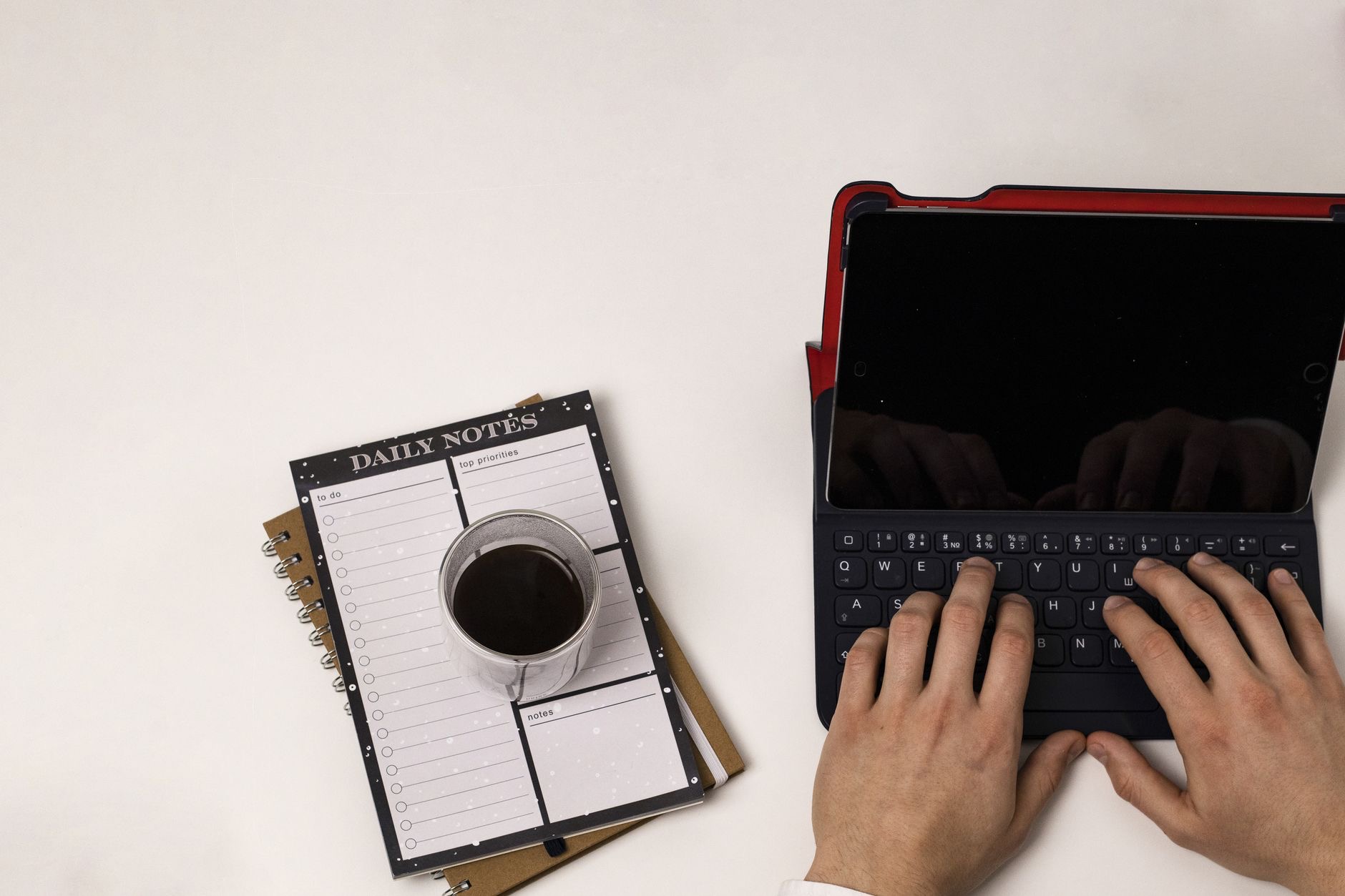
A keyboard case adds physical keys and a stable typing stance, turning the iPad into a genuine writing machine for emails, essays, and documents. The transformation is dramatic: typing speed and comfort jump, laps become workable desks, and the iPad starts replacing a laptop for real tasks. The trade is weight and bulk that you carry everywhere, typing or not. For students, travelers who work, and anyone whose iPad is their main computer, the trade is obviously worth it.
★ Editor's Pick · Amazon
iPad Keyboard Case
Real keys turn the iPad into a writing machine
The Premium Option: Keyboard With Trackpad
Within the keyboard camp sits the premium tier: cases with a built-in trackpad that add cursor control to the keys. Pointer plus keyboard makes the iPad feel remarkably like a laptop, editing documents, selecting text, and juggling apps without reaching up to the screen. Heavy typists and laptop-replacers find the upgrade meaningful; casual typists will not miss it. If the iPad is genuinely your main machine, the trackpad tier is where that life gets comfortable.
★ Editor's Pick · Amazon
Keyboard With Trackpad
The closest an iPad gets to a laptop
Weight, Price, and the Everyday Reality
The practical differences add up daily. A folio keeps the iPad featherweight and slips anywhere; a keyboard case can noticeably increase carry weight, which you feel in a bag and on the sofa. Folios cost less, keyboard cases more, and trackpad versions the most. None of this matters if you use the keys constantly, and all of it matters if you do not. Weigh the price and grams against your real typing hours, and the everyday reality makes the decision for you.
The Best of Both Worlds
One popular solution dodges the choice entirely: a slim folio for everyday carry plus a separate stand and the knowledge that serious typing can wait for a Mac, or a folio plus an external keyboard used at a desk when needed. Cases swap in seconds, so some owners keep both a folio and a keyboard case, dressing the iPad for the day ahead. If your weeks alternate between consuming and producing, owning both costs less than buying wrong twice.
| Choose a folio if you... | Choose a keyboard case if you... |
|---|---|
| Read, watch, and sketch | Type emails and documents often |
| Value lightness above all | Accept weight for productivity |
| Type mostly on a Mac | Use the iPad as your main machine |
| Want the cheaper option | Want laptop-like capability |
Frequently Asked Questions
Should I get a folio or a keyboard case for my iPad?
Check your last two weeks: if you typed more than a few paragraphs at a time on the iPad, a keyboard case will transform that work and earns its weight. If you mostly read, watched, browsed, and sketched, a slim folio gives maximum protection at minimum weight for less money.
What does a folio case do?
It wraps the iPad in slim protection, shields the screen in bags, props it at angles for watching and sketching, and adds barely any weight, preserving the grab-and-go lightness people love. For consumption and Pencil notes, it is everything needed and nothing more.
Is a keyboard case worth the weight?
If you type regularly, absolutely: physical keys and a stable stance dramatically improve speed and comfort, and the iPad starts replacing a laptop for real tasks. If you type rarely, the same weight rides along unused every day, which is the honest argument for the folio instead.
Do I need the trackpad version?
Only if the iPad is close to being your main computer. Cursor control plus keys makes editing, text selection, and app juggling feel laptop-like, which heavy typists find meaningful. Casual typists get most of the benefit from a standard keyboard case at a lower price.
Can I own both a folio and a keyboard case?
Yes, and many people do, since cases swap in seconds. A folio for light days and a keyboard case for work days dresses the iPad for what is ahead. If your weeks alternate between consuming and producing, owning both beats buying the wrong single case twice.
Which option protects the iPad better?
Both protect well in transit by covering the screen and body. The folio is typically slimmer with similar coverage, while keyboard cases add structure that some find more protective at a desk. For pure protection per gram, the folio leads; for protection plus productivity, the keyboard case wins.
The Bottom Line
The folio versus keyboard case decision comes down to typing hours. If your iPad is for reading, watching, and Pencil notes, a slim folio protects everything while keeping the tablet light and cheap to dress. If you type real documents regularly, a keyboard case transforms the iPad into a writing machine, and the trackpad tier makes it nearly a laptop. Check what you actually did in the last two weeks, buy for that, and consider owning both if your days alternate.
Leave a Reply