
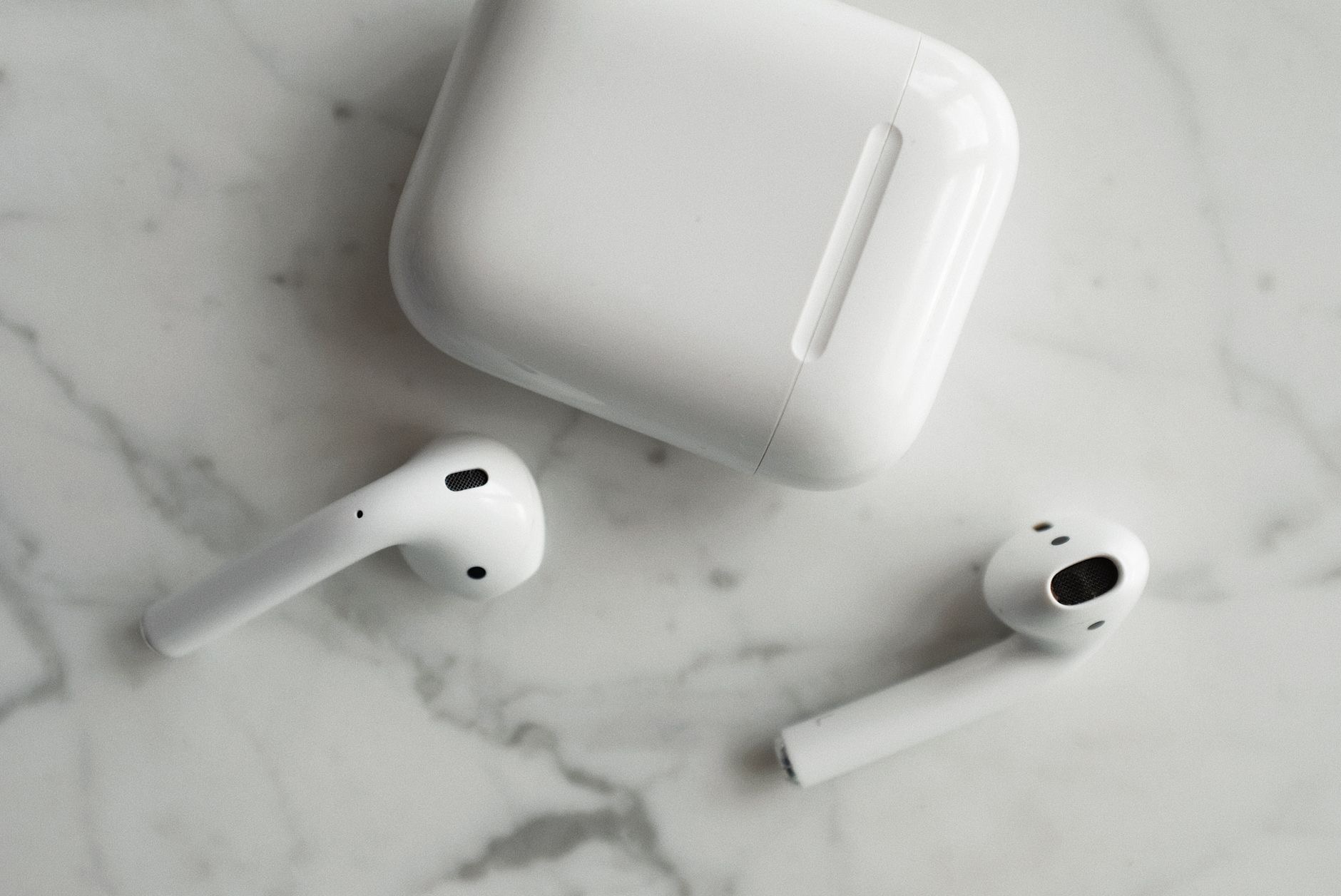
Counterfeit AirPods have become shockingly convincing, and a fake pair can cost you good money for poor sound, terrible battery, and zero support. Whether you are buying second-hand or just want to confirm a gift is genuine, knowing the tells protects you. Based on the documented differences between genuine and counterfeit units, here is exactly how to spot the difference before you get fooled.
Why Fakes Are a Real Problem
Counterfeit AirPods are everywhere, especially in second-hand listings and from sketchy online sellers. The best fakes copy the look almost perfectly, but underneath they deliver weak sound, poor noise handling, batteries that fade fast, and no genuine Apple features or warranty. People pay close to real prices and end up with a disposable knockoff. The good news is that no fake survives a careful inspection, because there are several tells that counterfeiters cannot fully replicate, and you only need to know what to look for.
The Most Reliable Check: The Serial Number
This is the single best test. Every genuine pair has a serial number, found on the case, in the settings of a connected device, and on the original packaging. Take that serial number to Apple's official coverage checker online. A real serial returns valid product and warranty information. A fake serial either fails, returns nothing, or shows details that do not match the product. This check alone catches the vast majority of counterfeits, so make it your first move every time, especially with a used purchase.
Inspect the Packaging and Printing
If the box is available, examine it closely. Genuine packaging has crisp, perfectly aligned printing, high-quality materials, and consistent fonts and spacing. Fakes often have slightly blurry text, off-center logos, spelling or grammar mistakes, and cheaper-feeling card. Compare the small print and the way the product is described against official images if you can. Counterfeiters cut corners on packaging because it is expensive to perfect, so sloppy printing is a strong warning sign even before you open the box.
Check the Build Quality and Weight
Hold the case and the earbuds and pay attention to the details. Genuine AirPods have a smooth, seamless finish, tight tolerances, and a reassuring, precise feel. Fakes often have visible seams, slightly rough edges, looser hinges on the case, and a lighter, hollower feel. The way the lid opens and closes is a giveaway: real cases have a satisfying, magnetic, well-damped action, while fakes feel flimsier. None of this is conclusive on its own, but combined with the other checks it builds a clear picture.
Test the Setup and Features
Genuine AirPods connect to an Apple device with the instant, animated pop-up pairing screen. Open the case next to an iPhone and a real pair triggers that seamless setup, shows accurate battery levels for each earbud and the case, and appears properly in settings with all the genuine features. Fakes usually connect only as generic Bluetooth earbuds, with no animation, missing or inaccurate battery readings, and absent features. This behavior is hard to fake convincingly, so a setup that feels off is a major red flag.
Listen Carefully
Sound is where fakes fall apart, even if they look the part. Genuine AirPods deliver clear, balanced audio and effective noise handling on the Pro models. Counterfeits typically sound thin, muddy, or harsh, with weak bass and noise cancellation that barely works or hisses. If a pair claims to be Pro but the noise cancellation does almost nothing, you are almost certainly holding a fake. Your ears are a surprisingly good detector once you know what genuine AirPods are supposed to sound like, which is exactly why our AirPods vs AirPods Pro guide is worth reading first.
Where Fakes Hide
Be most careful with deals that are too cheap, sellers with no return policy, and listings with only stock photos. A genuine pair rarely sells for a fraction of the normal price, so a suspiciously low price is itself a warning. Buy from reputable sellers, ask for the serial number before paying, and insist on real photos of the actual item. If you are choosing earbuds in the first place and want to avoid the whole risk, our best wireless earbuds guide covers genuine options at every budget.
What to Do If You Bought a Fake
If your checks reveal a counterfeit, act quickly. Contact the seller for a refund, and if you paid through a platform with buyer protection, open a case with the details, since selling counterfeits violates the rules of most marketplaces. Keep all evidence, including the failed serial check and photos. Going forward, stick to trusted sources and always run the serial number before paying. A few minutes of verification is far cheaper than a drawer full of useless knockoffs, and it ensures the next pair you buy is the real thing.
| Signs it is genuine | Signs it is fake |
|---|---|
| Valid serial on Apple's checker | Serial fails or returns nothing |
| Instant animated pairing on iPhone | Connects only as generic Bluetooth |
| Clean printing, precise build | Blurry text, loose, hollow feel |
Quick Answers
How can I tell if my AirPods are fake?Check the serial number on Apple's official coverage site. A valid result means genuine. Also look for instant pairing on an iPhone, clean packaging, and a precise build.
What is the best way to spot fake AirPods?The serial number check is the most reliable. Fakes fail it or return mismatched details. Combine it with the pairing test and a build inspection.
Do fake AirPods connect to an iPhone?Yes, but only as generic Bluetooth earbuds, without the instant animated setup, accurate battery readings, or genuine features that real AirPods show.
Why are fake AirPods bad?They deliver poor sound, weak battery life, no real noise cancellation, and no warranty or support, despite often costing close to genuine prices.
Can fake AirPods sound good?Rarely. They usually sound thin or muddy with weak bass and barely-working noise cancellation. Sound is one of the clearest giveaways.
What if I already bought fakes?Contact the seller for a refund and open a case with the platform if you have buyer protection. Selling counterfeits breaks most marketplace rules.
Why Buying Genuine Is Worth It
Beyond avoiding a scam, there are real reasons to insist on the genuine article. Real AirPods get firmware updates that improve them over time, qualify for official support and battery service, and deliver the seamless features and reliable sound that made them popular. A counterfeit gives you none of this, and when its battery fades in a few months, you have no recourse at all. The small premium for a genuine pair buys you years of dependable use, support if something goes wrong, and the actual experience you were paying for. When you weigh the true cost over the life of the product, genuine AirPods are not the expensive option, they are the one that actually lasts, while a fake is money spent twice. That is why running the checks in this guide before you buy is time so well spent.
The Honest Bottom Line
Spotting fake AirPods comes down to a few reliable checks: verify the serial number on Apple's official site, test for instant pairing on an iPhone, inspect the packaging and build, and trust your ears on sound quality. No counterfeit passes all of these, so a careful inspection always reveals the truth.
Run these checks before you pay, especially on used or suspiciously cheap deals, and you will never be fooled. Suspicious about a pair you own or are eyeing? Tell me what you are seeing in the comments and I will help you confirm.
Leave a Reply