

When you set up your Mac, one small decision quietly shapes how it feels to use every day: mouse or trackpad? Both are elegant Apple pointing devices, but they offer genuinely different experiences, and the right one depends on how you work. Pick wrong and it nags at you daily, pick right and it feels perfect. Let us compare the Magic Mouse and Magic Trackpad clearly so you choose the one that fits you.
The Short Answer
Choose the Magic Mouse if you like the familiar feel of a mouse, do precise pointing and clicking, and want traditional control. Choose the Magic Trackpad if you love gestures, enjoy the smooth, fluid navigation of a laptop-style trackpad, and want a larger surface for swiping and scrolling. Neither is better overall, they simply suit different preferences. Many people even use both. The key is knowing whether you prefer classic mouse control or a gesture-rich trackpad, and choosing the one that matches how you naturally like to work.
The Magic Mouse: Familiar and Precise
The Magic Mouse offers the classic, familiar mouse experience with an elegant, minimal design. You move it across your desk for precise pointing and clicking, which many people find natural and comfortable, especially for detailed work, selecting, and dragging. It still supports touch gestures on its surface, blending traditional control with some modern convenience. If you like the tried-and-true feel of a mouse and value precise, deliberate control, the Magic Mouse is a great choice that fits seamlessly into a clean Mac setup and simply works the way you expect.
★ Editor's Pick · Amazon
Magic Mouse
Familiar, precise mouse control with a sleek design

The Magic Trackpad: Gestures and Flow
The Magic Trackpad brings the smooth, gesture-rich experience of a laptop trackpad to your desk, on a generously large surface. It shines at fluid navigation, swiping between things, scrolling smoothly, and using the rich gestures that feel so natural on a Mac. Many people find it relaxing and intuitive, and its large area gives plenty of room to move. If you love gestures, enjoy the flow of trackpad navigation, or already use a MacBook trackpad and want that feel on your desk, the Magic Trackpad is a wonderful, modern choice.
★ Editor's Pick · Amazon
Magic Trackpad
Smooth, gesture-rich control on a large surface
Gestures vs Precision
The core trade-off is gestures versus traditional precision. The Trackpad excels at fluid, gesture-based navigation and feels wonderfully smooth for browsing, scrolling, and moving around, but some people find a mouse more precise for detailed clicking and dragging. The Mouse offers that familiar, precise pointing many prefer for exact work, with some gesture support too. Think about your tasks: gesture-heavy navigation and a modern feel favor the Trackpad, while precise, deliberate control favors the Mouse. Both are capable, so it is really about which style suits you.
Comfort and Personal Preference
Comfort is deeply personal here. Some people find a mouse more comfortable for long sessions and precise control, while others find a trackpad more relaxing and natural, especially if they are used to a laptop. There is no universally right answer, it depends on your hand, your habits, and your work. If you can, think about which you reach for more naturally. Since you will use this device constantly, choosing the one that feels most comfortable and intuitive to you personally matters more than any spec or feature list.
Why Not Both?
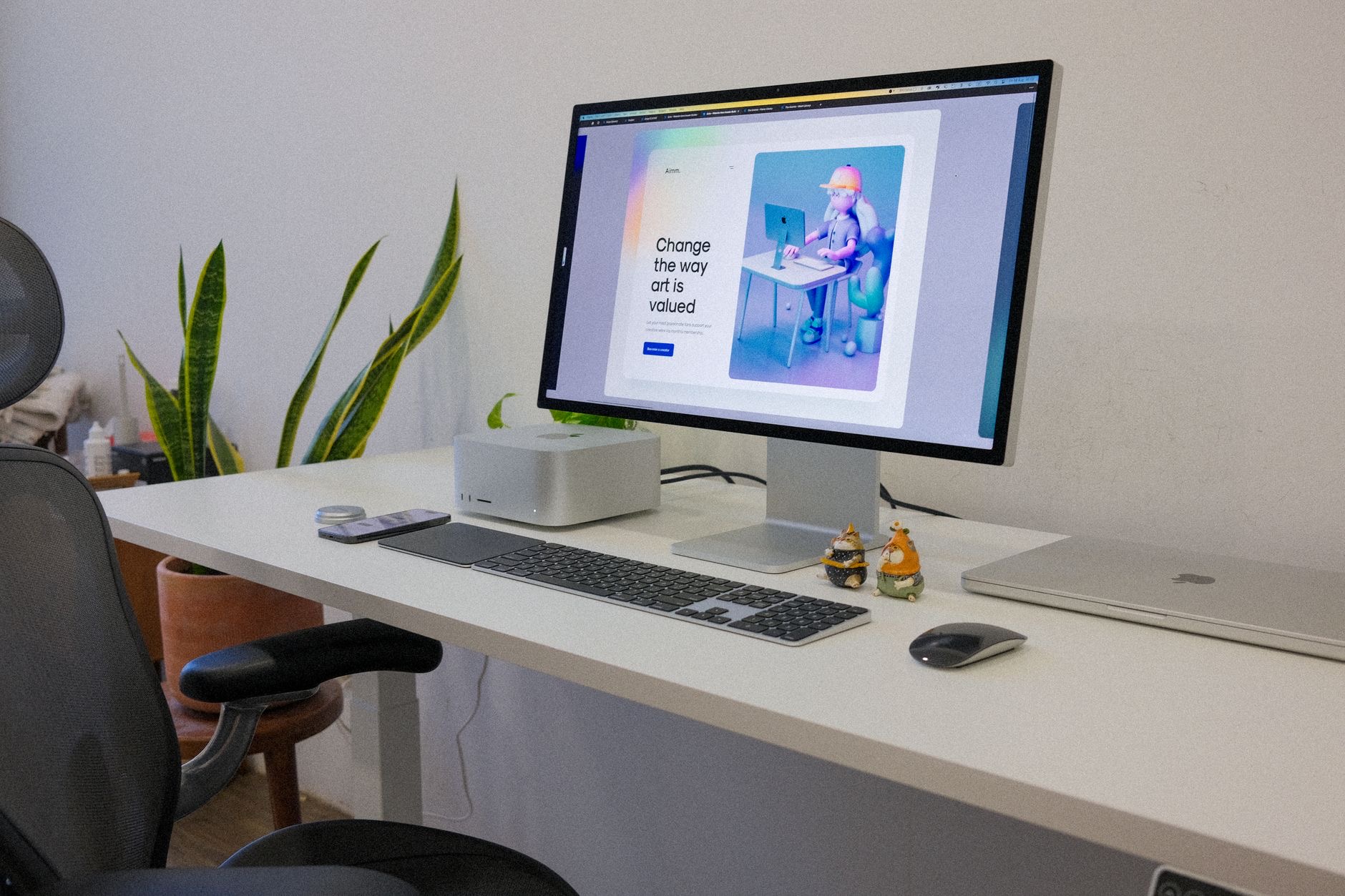
Here is a secret many Mac users discover: you do not have to choose just one. Plenty of people keep both a Magic Mouse and a Magic Trackpad on their desk, switching between them depending on the task, a mouse for precise work and a trackpad for gestures and scrolling. Using both gives you the best of each world and can even be more comfortable, letting you vary your hand position. If you cannot decide, or you value both precision and gestures, having both is a genuinely great setup.
| If you... | Best pick |
|---|---|
| Like familiar, precise control | Magic Mouse |
| Love gestures and smooth flow | Magic Trackpad |
| Do detailed clicking and dragging | Magic Mouse |
| Want the best of both | Both, switching by task |
Frequently Asked Questions
Magic Mouse or Magic Trackpad, which is better?
Neither is better overall, they suit different preferences. The Magic Mouse offers familiar, precise mouse control, while the Magic Trackpad excels at gestures and smooth, fluid navigation on a large surface. Choose based on whether you prefer classic mouse control or a gesture-rich trackpad experience.
Is the Magic Trackpad good for precise work?
It is capable, but some people find a mouse more precise for detailed clicking and dragging. The Trackpad excels at fluid, gesture-based navigation and smooth scrolling. If your work involves a lot of exact pointing, the Magic Mouse may suit you better, while gesture-heavy navigation favors the Trackpad.
Which is more comfortable?
It is personal. Some find a mouse more comfortable for long sessions and precise control, while others find a trackpad more relaxing and natural, especially if used to a laptop. There is no universal answer, so choose the one that feels most comfortable and intuitive to you, since you use it constantly.
Can I use both a Magic Mouse and Trackpad?
Yes, and many Mac users do. They keep both on their desk and switch depending on the task, a mouse for precise work and a trackpad for gestures and scrolling. Using both gives you the best of each and can be more comfortable by letting you vary your hand position throughout the day.
Does the Magic Mouse support gestures?
Yes, it supports touch gestures on its surface, blending traditional mouse control with some modern convenience. However, the Magic Trackpad offers a richer, larger gesture experience with more room for swiping and scrolling. If gestures are a priority, the Trackpad provides the fuller experience.
Which should I choose for my Mac?
Choose the Magic Mouse if you like familiar, precise control and detailed work, or the Magic Trackpad if you love gestures and smooth, fluid navigation. Consider which you reach for naturally and find most comfortable. If you value both precision and gestures, using both together is a great option.
The Bottom Line
The Magic Mouse and Magic Trackpad both look elegant on a Mac desk, but they feel genuinely different. The Mouse gives familiar, precise control ideal for detailed work, while the Trackpad delivers smooth, gesture-rich navigation many find modern and relaxing. Comfort and preference matter most, so choose the style that suits how you naturally work. And if you cannot decide, using both, a mouse for precision and a trackpad for gestures, gives you the best of both worlds on your desk.
Leave a Reply