
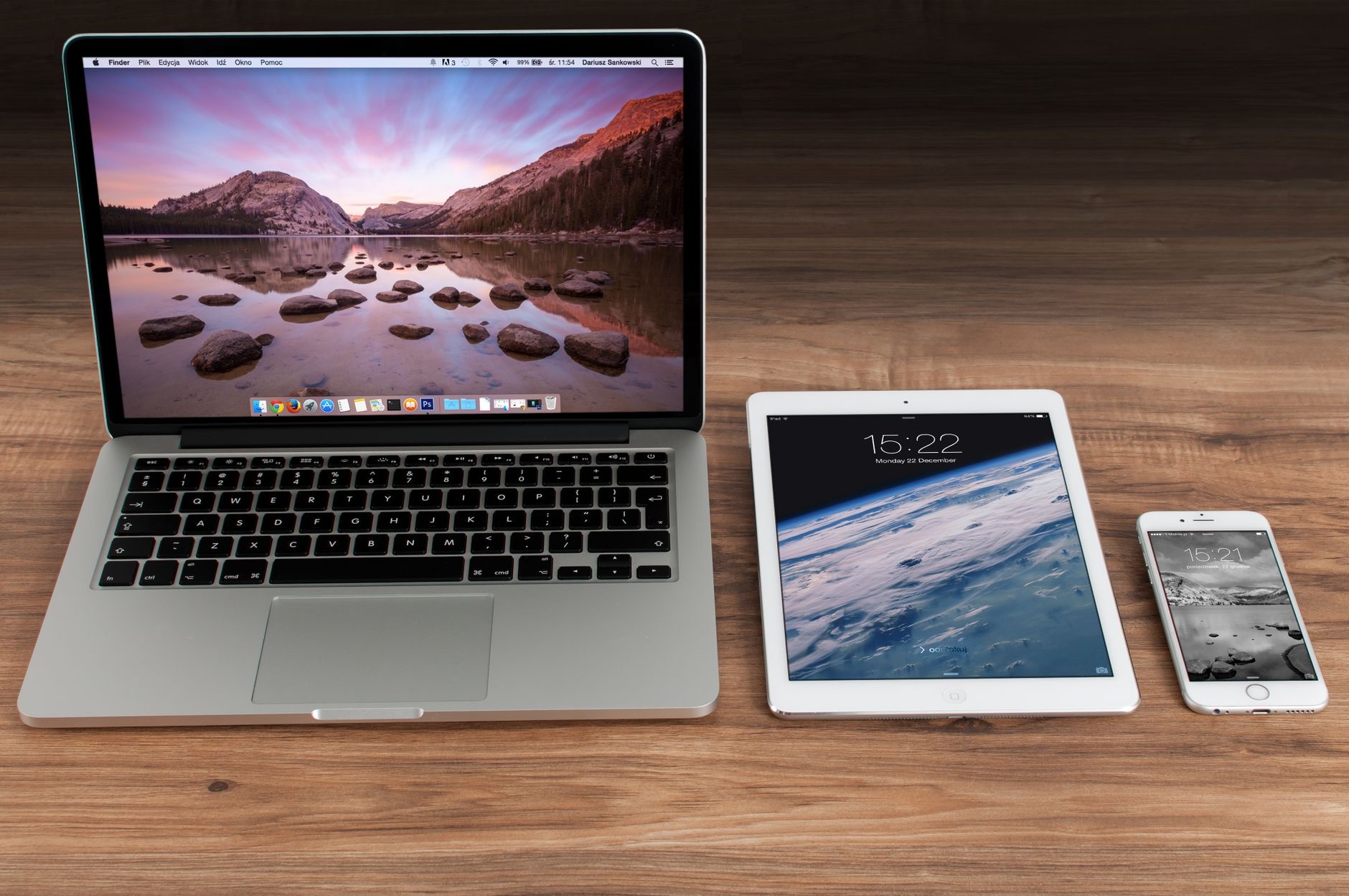
Here is a secret that Apple does not shout about loudly enough: the moment you own more than one of its devices, they start doing genuinely magical things together. Copy on your phone, paste on your Mac. Start an email on your iPad, finish it on your laptop. Unlock your computer just by wearing your watch. If you have an iPhone and any other Apple device, you are almost certainly leaving this magic on the table. Here is how to unlock it.
1. Universal Clipboard: Copy Here, Paste There
This one genuinely feels like a trick. With Universal Clipboard, you can copy text, an image, or a link on one Apple device and paste it directly on another, no sending or emailing yourself required. Copy a paragraph on your iPhone, then paste it straight into a document on your Mac. It works quietly in the background across your signed-in devices, and once you experience it, you will use it constantly. It is one of the most useful ecosystem features almost nobody knows about.
2. Handoff: Start on One Device, Finish on Another
With Handoff, you can begin a task on one device and pick it up right where you left off on another. Start writing an email on your phone, then see it waiting for you on your Mac to finish with a proper keyboard. It works with many apps, from browsing to messaging to documents. This seamless continuity means your work follows you between devices effortlessly, which is exactly the kind of convenience that makes the ecosystem feel cohesive.
3. AirDrop: Share Files Instantly
AirDrop lets you send photos, files, and more between Apple devices wirelessly and almost instantly, with no cables or uploads. Sharing holiday photos with a family member sitting next to you, or moving a file from your phone to your Mac, takes seconds. It is fast, effortless, and once you rely on it, emailing yourself files feels ancient. AirDrop is one of the most beloved ecosystem features for good reason.

4. Unlock Your Mac With Your Apple Watch
If you have an Apple Watch, your Mac can unlock automatically when you sit down at it, as long as you are wearing your watch. No typing your password every time you wake your computer. It is a small convenience that you feel dozens of times a day, quietly saving you effort and making your devices feel intelligently connected. Setting it up takes moments and the payoff is constant.
5. Answer Calls and Texts on Any Device
Your iPhone calls and messages can appear on your other Apple devices, so you can answer a call on your Mac or iPad, or send a text from your laptop, even when your phone is in another room. It means you do not have to interrupt what you are doing to reach for your phone. For anyone who works at a desk with their phone charging nearby, this is a genuinely useful piece of everyday magic.
6. Continuity Camera: Use Your iPhone as a Mac Webcam
Your iPhone has an excellent camera, and Continuity Camera lets your Mac use it as a high-quality webcam, or to scan documents and insert photos directly into your work. Instead of settling for a basic built-in camera, you can use the superior one already in your pocket. It is a clever way to get more from devices you already own, turning two gadgets into one more capable setup.

7. Shared iCloud: Your Stuff Everywhere
With iCloud, your photos, files, notes, and more can stay in sync across all your devices, so a photo taken on your phone appears on your Mac, and a note jotted on your iPad is there on your iPhone. This shared foundation means your content lives everywhere you need it, without manual transferring. It is the quiet backbone that makes so much of the ecosystem magic possible in the first place.
8. AirPods That Follow You
Your AirPods can switch fairly seamlessly between your Apple devices, moving from a video on your iPad to a call on your phone without fiddly reconnecting. It means your audio simply follows what you are doing across your devices. For anyone who bounces between a phone, tablet, and computer throughout the day, this automatic switching removes a constant little friction and makes your earbuds feel wonderfully smart.
9-10. Sidecar and a Shared Ecosystem
Two more worth knowing. You can use your iPad as a second display for your Mac, giving yourself extra screen space or a place to draw with the Apple Pencil, which is fantastic for productivity. And features like a shared Focus mode, synced across your devices, mean setting Do Not Disturb on one can apply everywhere. The more you explore, the more you realize the devices are designed to work as one connected whole, not as separate gadgets.
★ Editor's Pick · Amazon
AirPods Pro 2
Audio that follows you seamlessly across your Apple devices
Frequently Asked Questions
What is Universal Clipboard?
Universal Clipboard lets you copy text, an image, or a link on one Apple device and paste it directly on another signed-in device, with no sending or emailing. Copy on your iPhone, paste on your Mac. It works quietly in the background and is one of the most useful ecosystem features few people know.
How does Handoff work?
Handoff lets you start a task on one device and continue it on another right where you left off. Begin an email on your phone and finish it on your Mac, for example. It works across many apps, so your work follows you between devices effortlessly for seamless continuity.
Can I unlock my Mac with my Apple Watch?
Yes. If you are wearing your Apple Watch, your Mac can unlock automatically when you sit down, so you do not have to type your password every time you wake it. It is a small convenience you feel many times a day, and it takes only moments to set up.
Can I answer iPhone calls on my Mac or iPad?
Yes. Your iPhone calls and messages can appear on your other Apple devices, so you can answer a call on your Mac or iPad, or text from your laptop, even when your phone is in another room. It is genuinely useful when you work at a desk with your phone nearby.
Can I use my iPhone as a webcam for my Mac?
Yes. Continuity Camera lets your Mac use your iPhone's excellent camera as a high-quality webcam, and even scan documents or insert photos into your work. It is a clever way to get a better camera setup using devices you already own.
Do I need to set these features up?
Most work best when your devices are signed in to the same account with the relevant features enabled, and many are on by default. Exploring your settings and making sure the ecosystem features are turned on unlocks a huge amount of everyday convenience across your Apple devices.
The Bottom Line
The single biggest reason people love Apple devices is not any one gadget, it is the way they work together, and most owners never fully discover it. Universal Clipboard, Handoff, AirDrop, unlocking your Mac with your Watch, answering calls anywhere, these are the tricks that make the whole ecosystem feel like magic. If you own more than one Apple device, take an afternoon to explore these features. You will wonder how you ever lived with your devices as separate islands.
Leave a Reply