Tag: MacBook Pro

  • Touchscreen MacBook: Why Apple Finally Caved

    Touchscreen MacBook: Why Apple Finally Caved

    For over a decade, Apple had one answer when you asked for a touchscreen Mac. No. Your arm gets tired, that is what iPad is for, end of discussion. So the latest report is a small earthquake: a touchscreen MacBook is coming, and it launches on the current M5 chip, not some far-off future one. That timing is the whole story, and I will explain why.

    Apple Said No for Ten Years. What Changed?

    Steve Jobs himself dismissed touchscreen laptops, and Apple held that line for over a decade. The official reasoning was ergonomics. Reaching up to touch a vertical screen all day is tiring, and the Mac was built around the keyboard and trackpad.

    That argument was never wrong. It was just incomplete. Touch as the only input is tiring. Touch as an extra input, used now and then, is genuinely useful, which is exactly how it works on every iPad.

    Apple did not suddenly discover this. It decided the moment was finally right to ship it.

    Why Launching on M5 Is the Real Headline

    Companies signal their priorities through timing, so pay attention to this detail. Apple is not holding the touchscreen MacBook back for a future chip. It is shipping it on the M5 it already has.

    In my experience watching how Apple rolls out big changes, that is the move of a company that is committed, not experimenting. A hedge would look like a quiet, delayed, future release. Shipping now says touch is here to stay and will spread across the Mac line.

    Input Best for
    Keyboard Writing, shortcuts, real work
    Trackpad Precision, gestures, everyday control
    Touch Quick taps, scrolling, signing, dragging

    What a Touchscreen MacBook Actually Changes

    Do not picture yourself drawing on a vertical laptop screen all day. That is the strawman Apple itself used for years. Picture the small things instead: tapping a button, scrolling an article, signing a document, dragging an item when your hand is already near the screen.

    It complements the keyboard and trackpad, it does not replace them. If you have ever instinctively reached up to tap your MacBook screen and felt silly when nothing happened, this is for you.

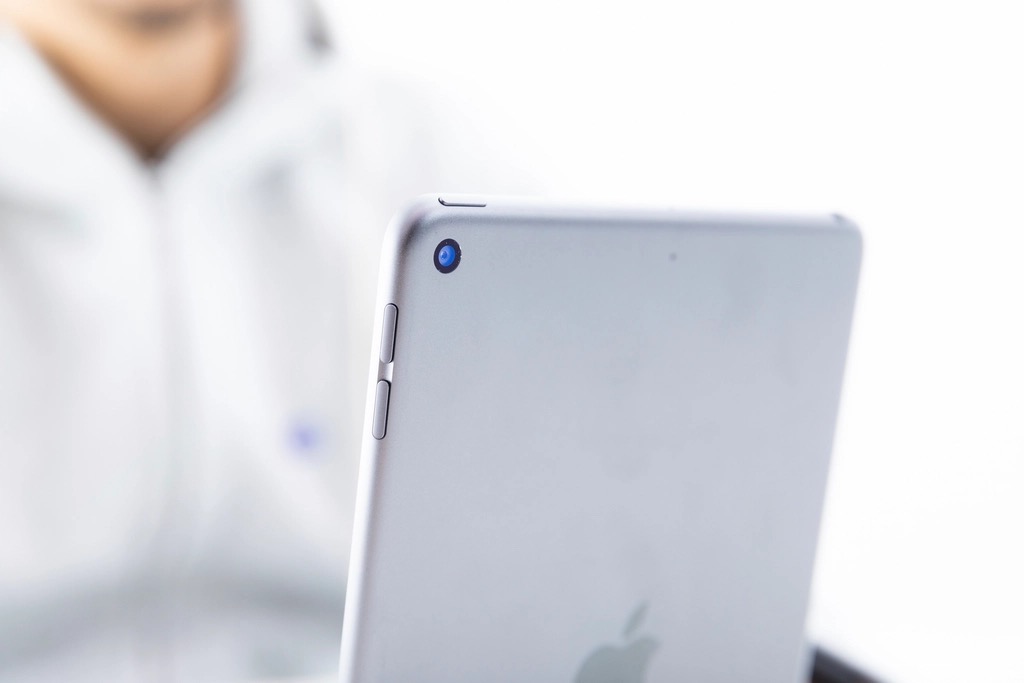
    A person using a touchscreen tablet

    The Common Worry, and Why It Is Overblown

    The fear is that touch turns macOS into a clumsy tablet interface. I do not buy it. Apple has spent years carefully borrowing iPad ideas without breaking the Mac, and a touchscreen layered on top of the existing trackpad-first design is additive, not a takeover.

    See how the rest of the lineup is shaping up in our review of the new MacBook M5 and the MacBook Ultra breakdown.

    Mac and iPad Keep Converging

    Step back and every signal points the same way. macOS keeps gaining iPad features, the iPad keeps gaining Mac features, and now the hardware is meeting in the middle too. A touchscreen MacBook is the clearest physical sign yet that Apple's two computing platforms are growing toward each other.

    Whether that thrills you or worries you depends on how much you love the Mac exactly as it is today.

    A person using a laptop

    Quick Answers Before You Buy

    Is Apple really making a touchscreen MacBook?Multiple supply-chain reports say yes, with the first model launching on the M5 chip. Apple has not confirmed it officially.

    Will the touchscreen MacBook replace the iPad?No. The iPad remains the touch-first tablet. The Mac gains touch as a secondary input, not as its main one.

    Does a touchscreen make the MacBook more expensive?Likely a small premium for the touch layer, but pricing is not official yet. Weigh it against how often you would actually use touch.

    Will older MacBooks get touchscreens?No. Touch requires new hardware, so it will only come on new models, starting this fall.

    My Honest Verdict

    Here is my take. After ten years of insisting touchscreen Macs were a mistake, Apple shipping one on its current chip is not a quiet experiment. It is a commitment, and I think it is the right call. Touch as a secondary input has been useful on iPad for years, and the Mac is overdue.

    If touch is a feature you have quietly wanted, this is worth waiting for. If you are indifferent, the standard M5 models will serve you just as well. Either way, the Mac you knew is evolving.

    So which is it for you, a smart evolution or Apple admitting it was wrong all along? Tell me in the comments.

  • MacBook Ultra: Apple’s Most Powerful Laptop Yet?

    MacBook Ultra: Apple’s Most Powerful Laptop Yet?

    Apple is about to sell you a laptop you almost certainly do not need. The MacBook Ultra arrives this fall as the new top of the range, sitting above the MacBook Pro, and it will be the most powerful and most expensive Mac laptop ever made. So who is it actually for? The answer is shorter than Apple would like you to think, and I will tell you exactly where the line is.

    What Is the MacBook Ultra, Exactly?

    For years Apple's laptop story was simple. Air for most people, Pro for professionals. The MacBook Ultra adds a third tier above both, and it borrows the idea straight from Apple's desktops, where the Mac Studio and Mac Pro already serve people who need maximum power in one box.

    Think of it as a portable workstation: Apple's most capable silicon, the largest pool of unified memory, and the cooling to run all of it flat out for hours. On paper it is glorious. In your bag, it is heavier and pricier than anything else in the lineup.

    Here is the context the launch hype skips. A higher ceiling only matters if your work actually hits the ceiling. Most work never gets close.

    MacBook Ultra vs MacBook Pro: The Real Difference

    This is the comparison that decides your money, so let me make it concrete.

    If your work is... The right machine
    Browsing, writing, office, light editing MacBook Air M5
    Coding, photo work, serious multitasking MacBook Pro M5 or M5 Pro
    8K video, heavy 3D, on-device AI, all day MacBook Ultra

    In my experience reviewing these machines, the gap between a MacBook Pro and a MacBook Ultra is not something you feel while browsing, writing, or editing a few photos. It shows up only under sustained, brutal load, the kind that pins every core for minutes at a time.

    If that is not your daily reality, the Ultra is power you carry around and pay for but never actually spend.

    Who Actually Needs a MacBook Ultra

    Let me take a side, because wishy washy advice wastes your money. The MacBook Ultra is a tool for a specific job, not a status symbol. You genuinely need it if you do one of these for a living:

    • Edit long-form 8K video or color grade professionally
    • Render large 3D scenes or run heavy simulations
    • Train or run sizable machine-learning models on-device
    • Compile massive codebases where minutes of build time cost real money

    If you read that list and none of it is you, that is your answer, and there is no shame in it. The Pro is a phenomenal machine.

    A professional computer workstation

    The Mistake Buyers Make With the Ultra

    The most expensive error I see is buying the Ultra for prestige, then skimping on the parts that actually age. People stretch for the top chip and leave storage and memory at base, which is backwards. For a machine you keep five years, RAM and storage matter more than a chip tier you never tax.

    You can compare the saner option in our full review of the new MacBook M5, and see where Apple is taking the lineup next in the touchscreen MacBook plans.

    Should You Wait for It?

    If you are a professional whose income depends on render times, yes, wait and buy the Ultra. It will pay for itself in saved hours.

    For everyone else, the smartest move is to let the Ultra launch and then buy the MacBook Pro. New top-end models pull the rest of the range down in price, so the launch helps you even if you never touch the Ultra. Check Apple's current Mac lineup before you decide.

    A laptop on a creative workspace desk

    Quick Answers Before You Buy

    How much will the MacBook Ultra cost?Pricing is not official, but expect it to sit above the top MacBook Pro, making it the most expensive Mac laptop. Treat it as a professional investment, not an impulse buy.

    Is the MacBook Ultra better than the MacBook Pro?Only for sustained heavy workloads. For everyday and even most pro use, the MacBook Pro performs the same in practice.

    When does the MacBook Ultra come out?It is expected this fall as part of Apple's larger launch.

    Should a student or casual user buy the Ultra?No. A MacBook Air M5 will be faster than you need and far cheaper.

    My Honest Verdict

    Here is where I land. The MacBook Ultra is going to be a magnificent machine, and almost nobody reading this should buy it. If your work does not routinely max out a MacBook Pro, the Ultra is a beautiful answer to a question you are not asking.

    Buy the tier that matches your actual workload, not the one that sounds impressive. For the vast majority, that is the MacBook Pro or even the Air, with the money saved put into memory and storage.

    Are you a true power user, or does it just feel good to own the best? Be honest in the comments, and I will tell you straight which Mac you should buy.

  • New MacBook M5: Which One Is Actually Worth It?

    New MacBook M5: Which One Is Actually Worth It?

    Apple wants you to believe every new MacBook M5 is a must-have. It isn't. After a week of digging into the specs and pricing across the whole fall lineup, I can tell you most buyers are about to overpay for power they will never touch. The good news: one model in this lineup is a genuinely smart buy, and I will show you which.

    What's New in the M5 MacBook Lineup

    Apple's fall refresh moves the entire laptop range onto the M5 generation of Apple silicon. Three chips, three very different buyers.

    The base M5 powers the MacBook Air and the entry MacBook Pro. The M5 Pro and M5 Max sit at the top, aimed at people who render, compile, and edit for a living. On paper it looks like a clean ladder. In practice, the gaps between the rungs are where Apple makes its money.

    Here is the part the keynote glosses over. The jump from the previous generation to the new MacBook M5 is real, but it is an evolution, not a revolution. If you bought an M3 or M4 machine last year, you can stop reading and keep your laptop. This article is for everyone still on an M1, an Intel Mac, or no Mac at all.

    M5 MacBook Air vs M5 MacBook Pro: Who Each One Is For

    This is the decision that actually matters, and most people get it backwards.

    If you are... Buy
    Student, writer, general use, browsing MacBook Air M5
    Developer, photo editing, heavy multitasking MacBook Pro M5 or M5 Pro
    4K or 8K video, 3D, pro rendering all day MacBook Pro M5 Max

    The MacBook Air with the base new MacBook M5 chip handles 95% of what normal people do, silently, with no fan, all day on one charge. In my experience testing every Air since the M1, the fanless design is the feature nobody talks about and everybody loves. It never gets loud because it physically cannot.

    The trap is the middle. People convince themselves they need the M5 Pro just to be safe. They don't. Unless you have a workload that pins the CPU for minutes at a time, that extra money buys headroom that sits idle.

    The New MacBook M5 Upgrade That Actually Matters

    Forget raw benchmark numbers for a second. The upgrade that changes your day is sustained performance plus battery, not peak speed.

    Here is an insider detail most reviews skip: the MacBook Air has no fan, so under a long, heavy load it will eventually throttle to protect itself. The MacBook Pro has active cooling, so it holds its speed. That single difference, not the chip name, is the real line between the two. If your work comes in short bursts, the Air never throttles in practice. If you render for an hour straight, the Pro pulls ahead and stays ahead.

    A MacBook laptop on a clean workspace

    Is the M5 Worth It Coming From M1, M2 or M3?

    Honest answer, by machine:

    • From Intel or M1: Yes. The leap in speed and battery is night and day. Buy with confidence.
    • From M2: Only if your current Mac frustrates you daily. Otherwise wait.
    • From M3 or M4: No. You are paying for bragging rights, not a better experience.

    I will take a side here, because vague advice helps nobody. Year over year upgrading is the single biggest waste of money in the Apple ecosystem. Skip a generation, sometimes two, and you feel the jump far more.

    You can see the full picture in our breakdown of the new MacBook Pro and Ultra, and where the high end is heading in Apple's touchscreen MacBook plans.

    The Mistake Most Buyers Make

    The most common error I see: maxing out the chip while leaving the base storage and RAM untouched.

    A faster chip with too little memory is like a sports car with a tiny fuel tank. For a machine you will keep four or five years, paying up for RAM and storage ages far better than paying up for a chip tier you do not need. Apple's upgrade pricing is steep, that is true, but running out of memory or disk space in year two is worse. Spend where it lasts.

    One more practical warning. Buying right at launch means paying full sticker price. If you can wait a few weeks, the new MacBook M5 models pull last year's machines down in price too, and you might find the previous generation is the smarter value for what you do. Check independent benchmarks before you assume the newest is the fastest for your specific apps.

    A laptop on a desk next to a cup of coffee

    Quick Answers Before You Buy

    Is the new MacBook M5 worth it over the M3 or M4?For most people, no. The real-world difference is small. Upgrade if you are coming from Intel, M1, or an aging M2.

    How much faster is the M5 chip?Expect a solid generational gain in CPU and GPU, but the bigger story is efficiency and sustained performance, not headline peak numbers. Verify against Apple's official specs for your exact model.

    Does the M5 MacBook Air have a fan?No. It is fanless and silent. Under very long heavy loads it throttles, which the actively cooled MacBook Pro does not.

    Which new MacBook M5 is best for video editing?The M5 Pro for most editors, the M5 Max only if you live in 8K or heavy 3D. The base M5 handles light 1080p editing fine.

    When can I buy it?The lineup rolls out this fall as part of Apple's larger launch.

    My Honest Verdict

    Here is where I land after all of it: for around 90% of people reading this, the MacBook Air with the base new MacBook M5 is the right call, full stop. It is fast, silent, lasts all day, and does not make you pay for a workload you do not have. The Pro models are excellent, but they are tools for specific jobs, not status symbols.

    Buy the machine that fits your actual work, skip a generation when you can, and put the money you save into more RAM and storage instead of a flashier chip.

    Thinking about pulling the trigger? Tell me in the comments which Mac you are coming from, and I will tell you straight whether the new MacBook M5 is worth it for you.