
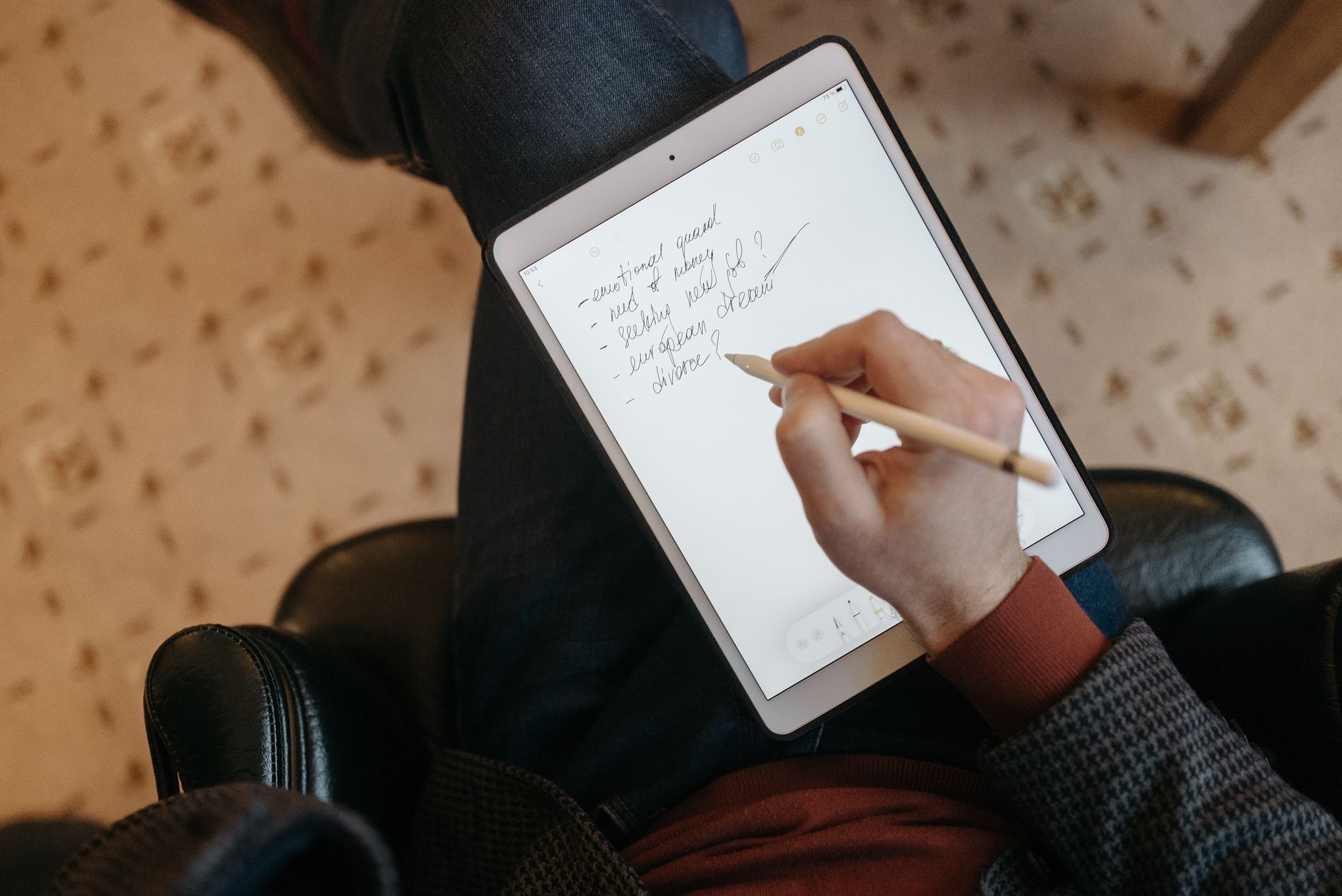
Handwritten notes that are searchable, never run out of paper, and live in your bag without the weight: that is the promise of taking notes on an iPad, and it genuinely delivers. But the lineup and the Apple Pencil compatibility can be confusing, and buying the wrong combination is a costly mistake. Here is how to get the perfect note-taking setup without overspending.
It Is the iPad and Pencil Together That Matter
The single most important thing to understand is that note-taking on an iPad depends on two things working together: the iPad itself and a compatible Apple Pencil. The Pencil is what turns the glass into paper, and not every Pencil works with every iPad. Before falling in love with a specific iPad, you must check which Apple Pencil it supports, because that pairing determines your writing experience and your total cost. Get this right and note-taking feels effortless. Get it wrong and you end up with mismatched gear or a worse experience than you paid for. Always plan the iPad and Pencil as a pair.
iPad Air: The Sweet Spot for Note-Takers
For most students and note-takers, the iPad Air is the ideal balance. It is powerful enough for years of note-taking, annotation, and the multitasking that real study involves, it has a lovely screen to write and read on, and it supports a modern Apple Pencil for a smooth, responsive writing feel. It costs less than the Pro while delivering nearly all of what note-takers actually need. If you want one iPad that handles handwriting, reading, research, and the occasional creative project without compromise, the Air is the pick that hits the heart of the value curve. It is the one we recommend most often.
★ Editor's Pick · Amazon
iPad Air (M3)
The sweet spot for note-taking and study
The Standard iPad: Best Value for Pure Note-Taking
If your main goal is taking notes and you want to spend the least, the standard iPad is a genuinely smart buy. It handles handwriting, reading, and everyday tasks well, and it supports a compatible Apple Pencil so you get the core writing experience for less. You give up some of the Air's power and screen refinement, which matters more for heavy multitasking and creative work than for plain note-taking. For a student on a budget whose priority is reliable, affordable digital notes, the standard iPad covers the essentials and leaves money in your pocket. It proves you do not need the priciest tablet to take great notes.
★ Editor's Pick · Amazon
iPad (10th gen)
Affordable and excellent for everyday notes
Do Not Forget the Apple Pencil
The Pencil is half of the note-taking experience, so budget for it from the start rather than treating it as an afterthought. A good Apple Pencil writes with low latency and natural responsiveness that makes digital handwriting feel close to pen on paper, and the more advanced versions add features and conveniences like magnetic charging that keep the Pencil ready whenever inspiration strikes. Crucially, you must match the Pencil to your specific iPad model. Confirm compatibility before buying, because a Pencil that does not work with your iPad is an expensive paperweight. The right Pencil transforms the iPad from a screen into a notebook.
★ Editor's Pick · Amazon
Apple Pencil Pro
Low-latency writing that feels like pen on paper
Options: Apple Pencil Pro · Apple Pencil USB-C
Screen Size: Bigger Paper Versus Portability
Note-takers feel screen size keenly. A larger iPad gives you more room to write, more space to see a document alongside your notes, and a more comfortable canvas overall, at the cost of being heavier to carry around all day. A smaller iPad is lighter and easier to slip into a bag and hold one-handed, but offers less writing real estate. Think about where you take notes: hauling a large tablet across campus all day is different from working at a fixed desk. Many students find a mid-size iPad the happy medium, big enough to write comfortably yet light enough to carry everywhere.

A Paper-Feel Screen Protector Changes Everything
Here is a tip that costs little and transforms the experience: a paper-texture screen protector. Writing on smooth glass can feel slippery and unnatural compared to paper, and a textured protector adds a subtle, satisfying friction that makes handwriting feel far more like the real thing. Many heavy note-takers say it is the single best upgrade they made, turning a slightly alien experience into one that feels genuinely comfortable for hours. The minor trade-off is a touch less screen sharpness, which note-takers rarely mind. If you plan to write a lot, this small accessory is worth adding from day one.
Storage and Battery for a Study Day
Notes themselves are small, but if you store lecture recordings, textbooks, PDFs, and creative projects alongside them, storage adds up, so choose a tier that fits your study materials rather than the bare minimum. Battery life on iPads comfortably covers a day of classes and study for most people, so you can leave the charger behind and top up at night. If you have especially long days, a quick charge during a break keeps you going. Plan storage around what you actually keep on the device, and battery will rarely be a concern for a typical day of note-taking and study.
| If you... | Best pick | Why |
|---|---|---|
| Want the best all-round study iPad | iPad Air | Powerful, great screen, modern Pencil |
| Mainly take notes on a budget | iPad (10th gen) | Covers the essentials for less |
| Do heavy creative work too | iPad Pro | Top performance and display |
Frequently Asked Questions
Which iPad is best for taking notes?
The iPad Air is the sweet spot for most students, balancing power, a great writing screen, and modern Apple Pencil support at a sensible price. If you mainly take notes on a tight budget, the standard iPad covers the essentials well for less money.
Do I need an Apple Pencil for note-taking?
For handwritten notes, yes, the Apple Pencil is essential and half the experience. Budget for it from the start and, crucially, confirm it is compatible with your specific iPad model, since not every Pencil works with every iPad. The right Pencil makes handwriting feel natural.
Is the standard iPad good enough for students?
For note-taking, reading, and everyday study tasks, yes. It handles the core experience well for less money. You give up some power and screen refinement that matter more for heavy multitasking and creative work, but for affordable digital notes it is a smart choice.
What size iPad should I get for notes?
It depends on where you work. A larger iPad gives more writing room but is heavier to carry all day, while a smaller one is more portable with less space. Many students find a mid-size iPad the ideal balance of comfortable writing and easy portability.
Is a paper-feel screen protector worth it?
For heavy note-takers, very much so. It adds a subtle friction that makes writing on glass feel far more like paper, which many people call their best iPad upgrade. The minor trade-off in screen sharpness is something most note-takers happily accept.
How much storage do I need for study?
Notes are small, but lecture recordings, textbooks, PDFs, and projects add up. Choose a storage tier that fits your study materials rather than the minimum. If you keep a lot of media on the device, size up to avoid constantly managing space during the term.
Our Honest Take
For most students and note-takers, the iPad Air paired with a compatible Apple Pencil is the setup that simply works, balancing performance, writing feel, and price beautifully. If pure note-taking on a budget is the goal, the standard iPad and a compatible Pencil cover the essentials for less. Whatever you choose, plan the iPad and Pencil as a pair, add a paper-feel protector if you write a lot, and you will have a notebook that never runs out of pages.
★ Editor's Pick · Amazon
iPad Air (M3)
Ready to go paperless? Check today's price on Amazon
Leave a Reply