Categoria: Uncategorized

  • Why Is Your iPhone Battery Draining So Fast? 9 Real Fixes

    Why Is Your iPhone Battery Draining So Fast? 9 Real Fixes

    If your iPhone battery dies by mid-afternoon, it is almost never the battery itself. After fixing this for years, I can tell you the real culprit is usually a handful of settings quietly draining power in the background. Before you spend money on a replacement, try these nine fixes. The third one alone gives most people hours back.

    First, Check Your Battery Health

    Go to Settings, Battery, then Battery Health and Charging. If Maximum Capacity is above 80%, your battery is fine and the problem is software or settings, which is great news because those are free to fix. If it is below 80%, the battery is genuinely worn and a replacement is the real answer. Know which camp you are in before you do anything else, because it changes the entire plan.

    The Nine Fixes That Actually Work

    Work through these in order. Most people find their drain in the first four.

    • 1. Find the battery hog. Settings, Battery shows usage by app. If one app eats 30% or more, that is your villain. Delete it or limit its background activity.
    • 2. Kill background refresh. Settings, General, Background App Refresh. Turn it off for everything except the apps you truly need updating in the background.
    • 3. Fix your screen. This is the big one. Lower brightness, turn on auto-brightness, and set Auto-Lock to 30 seconds. The screen is your single biggest battery drain, and most people run it far brighter and longer than they need.
    • 4. Disable location for needy apps. Settings, Privacy, Location Services. Set apps to "While Using" instead of "Always". Background location tracking is a silent killer.
    • 5. Turn off push email. Set Mail to Fetch every 15 to 30 minutes instead of Push. Your inbox does not need to ping the servers every second.
    • 6. Reduce motion and visual effects. Settings, Accessibility, Motion. Small wins that add up over a day.
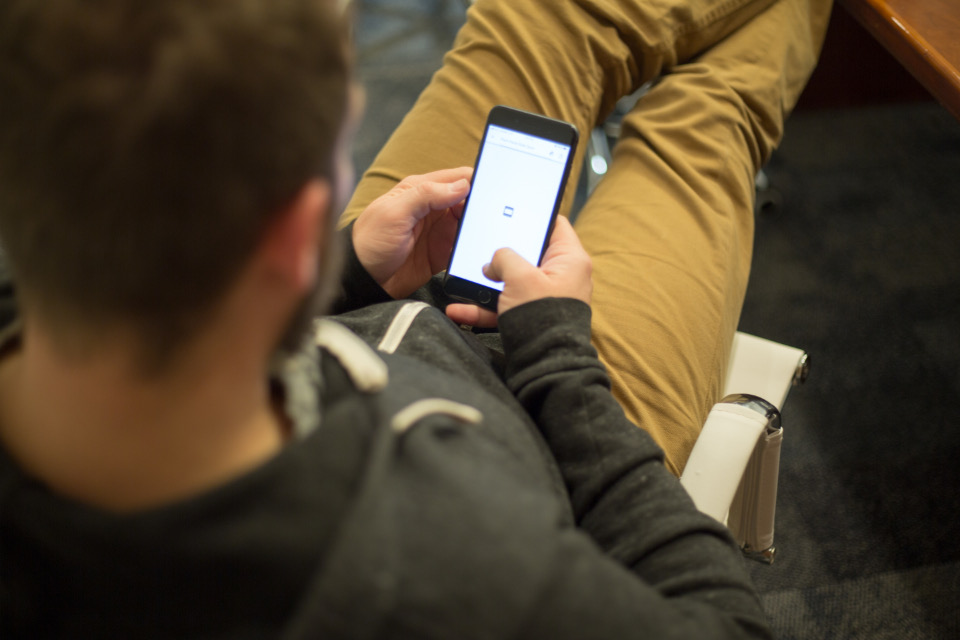
    A person adjusting settings on a smartphone
    • 7. Update iOS. Battery-draining bugs are common and Apple patches them. Keep the software current.
    • 8. Turn off 5G if you do not need it. Settings, Cellular, Voice and Data. "5G Auto" or LTE saves real power if your 5G coverage is patchy.
    • 9. Use Low Power Mode proactively. Do not wait for 20%. Flip it on in the morning on heavy days and barely notice the difference.

    The One Myth to Ignore

    Stop force-closing all your apps. It feels productive, but iOS suspends background apps automatically, and constantly relaunching them from scratch actually uses more battery, not less. This is the single most common piece of bad advice on the internet. Leave your apps alone and let the system do its job.

    Charging Habits That Extend Battery Lifespan

    Fixing today's drain is one thing. Keeping your battery healthy for years is another, and your charging habits decide it. Avoid letting the phone sit at 100% in a hot car or under a pillow overnight, because heat is what actually kills lithium batteries. Turn on Optimized Battery Charging, which holds the phone at 80% until just before you wake. And do not obsess over full cycles. Topping up throughout the day is gentler than draining to zero and back. Small habits here add a year or more to your battery's useful life.

    What Quietly Drains the Most

    If you only fix three things, fix these, because they account for the bulk of real-world drain. The screen, especially at high brightness with a long auto-lock, is number one by a wide margin. Background location is number two, with apps quietly pinging your GPS all day. Poor cellular signal is the sneaky third: when your phone is hunting for a weak signal, the radio works overtime and your battery pays. In a dead zone, Airplane Mode or Wi-Fi calling saves more than any setting tweak.

    When It Is Time for a New Battery (or Phone)

    If your battery health is under 80%, none of these settings will save you, and a battery replacement is far cheaper than a new phone. It is genuinely the best value upgrade in tech. But if you were already eyeing an upgrade anyway, weigh it against our iPhone 17 vs iPhone 16 guide before you spend, because a fresh battery in your current phone may be all you need.
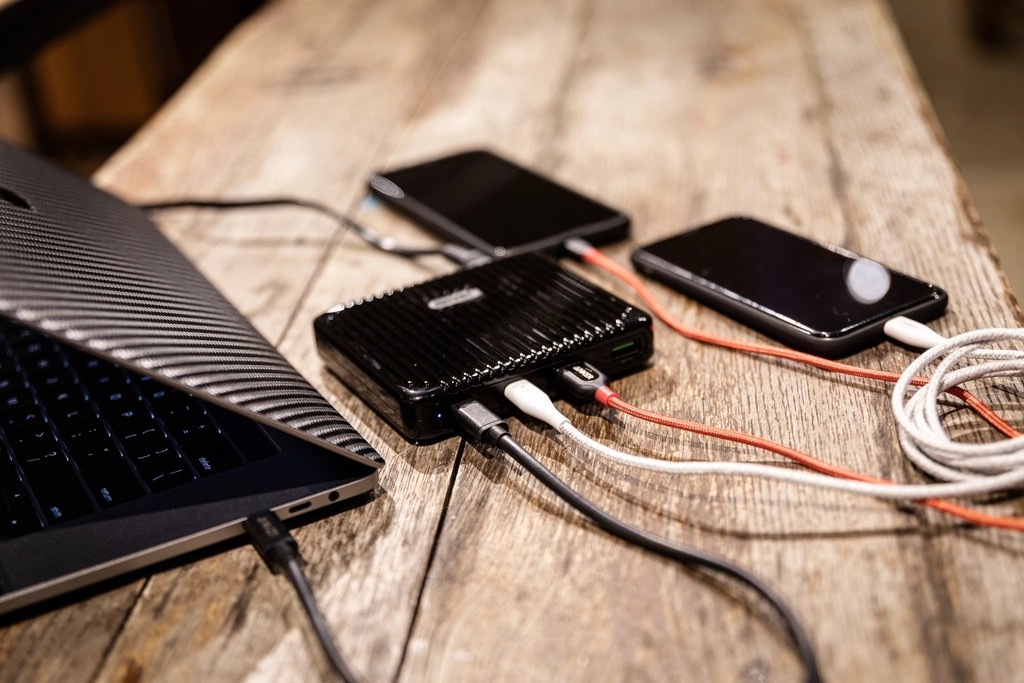
    A smartphone being charged

    A Simple Daily Routine That Keeps Battery Healthy

    You do not need to babysit your phone, but a light routine pays off. In the morning, if it is a heavy day, switch on Low Power Mode before you leave. During the day, top up whenever you can rather than waiting for empty, since shallow charges are gentler on the battery than deep ones. At night, charge somewhere cool and open, never under a pillow, and let Optimized Battery Charging hold it at 80% until just before you wake. That is the whole routine, and it adds up to a battery that still feels strong years later instead of fading in eighteen months.

    Extreme Cases: When Nothing Seems to Work

    Occasionally the drain survives every setting change. When that happens, the usual cause is a stuck background process or a bad app update. The first fix is a clean restart: hold the power button and restart the phone fully, not just lock it. If that fails, back up your phone and try resetting all settings, which clears tangled configurations without deleting your photos or messages. And if your battery health is fine but a single recent app still dominates the usage chart day after day, that app is almost certainly the problem, no matter what its developer claims. Delete it, watch your battery for a day, and you will have your answer.

    Quick Answers

    Will a third-party charger hurt my battery?No, as long as it is a reputable, certified charger. Cheap uncertified ones are the real risk. Fast charging is also fine, since the mild heat it creates is well managed by the phone.

    Why is my iPhone battery draining so fast suddenly?Usually a recent app, a software bug, or a settings change. Check Settings, Battery for a sudden usage spike from one app, and update iOS.

    Does closing apps save battery?No. iOS already suspends background apps. Force-closing and reopening them uses more power, not less.

    At what battery health should I replace it?Around 80% or below is when you feel real shrinkage. Below that, a replacement battery restores most of the life cheaply.

    Does Low Power Mode hurt my phone?No. It just pauses some background tasks. It is safe to leave on all day if you want maximum battery life.

    Is it bad to charge my iPhone overnight?Not with Optimized Battery Charging on, which avoids holding 100% for hours. Just keep it cool and off soft surfaces that trap heat.

    The Honest Bottom Line

    Nine times out of ten, fast battery drain is settings, not a dying battery. Fix your screen brightness and auto-lock, hunt down the one app eating your power, and stop force-closing apps. Most people get hours back without spending a cent.

    If your battery health is genuinely low, replace the battery before you replace the phone. It is the best value upgrade in tech, and it makes an old iPhone feel new.

    Which fix gave you the biggest jump? Tell me your battery health number in the comments and I will tell you whether settings or a new battery is your move.
  • iPhone 17 vs iPhone 16: Should You Upgrade?

    iPhone 17 vs iPhone 16: Should You Upgrade?

    Every year Apple wants you to believe the new iPhone is essential. It rarely is. After digging into the iPhone 17 against the iPhone 16, I can tell you exactly who should upgrade and who is about to waste a lot of money. Spoiler: most iPhone 16 owners should keep their phone, and I will show you why.

    What Actually Changed

    The iPhone 17 brings the usual yearly refinements: a faster chip, camera tweaks, better battery, and a brighter display. All real, all welcome, none of them life-changing on their own. This is an evolution, the same pattern Apple has followed for years. The question is never whether the 17 is better. It is whether it is enough better for you, specifically.

    Here is the context the keynote skips: year-over-year iPhone gains are small by design. Apple saves the big leaps for every two or three generations, because that is what keeps the upgrade treadmill turning and the average selling price high.

    Should You Upgrade? It Depends on Your Current Phone

    This is the only question that matters, and the answer changes completely based on what you own now.

    Coming from... Should you get the iPhone 17?
    iPhone 16 No. The difference is too small to justify.
    iPhone 14 or 15 Maybe. Worth it if battery or camera frustrates you.
    iPhone 12 or older Yes. The jump is huge and you will feel it daily.

    Why iPhone 16 Owners Should Wait

    Let me be blunt, because vague advice wastes your money. If you own an iPhone 16, the 17 will not meaningfully change your day. The chip is faster on paper, but your phone already opens apps instantly. The camera is improved, but you will struggle to tell the photos apart in a blind test. You would be paying hundreds for bragging rights.

    The smarter move with that money is an accessory that actually changes your experience: a better case, a faster charger, or a pair of the earbuds from our 2026 earbuds roundup. Any of those will improve your daily life more than a marginally newer phone.

    A smartphone camera close-up

    The Smart Move If You Have an Older iPhone

    If you are on an iPhone 12 or earlier, the story flips entirely. You get years of compounded improvements at once: dramatically better battery, a far stronger camera, a brighter screen, and faster everything. This is where the iPhone 17 feels like a genuine upgrade rather than a minor bump. Skipping generations is the single best way to make your iPhone money count.

    The Camera Question

    Cameras are where Apple markets hardest, so let me cut through it. The iPhone 17 camera is better than the 16, with improvements in low light and detail. But "better" and "noticeably better" are different words. Coming from an iPhone 16, the upgrade is the kind you measure in side-by-side crops, not the kind you notice in your photo library. Coming from an iPhone 12, it is night and day. Once again, your current phone, not the new one, decides whether the camera is a reason to buy.

    Battery and Daily Life

    The unglamorous truth is that battery life matters more than any flashy feature, and it is the one area where a year of progress can genuinely be felt. If your iPhone 16 still lasts your day, the 17's battery gain is a nice-to-have. But if you are coming from an older phone whose battery fades by afternoon, the combination of a more efficient chip and a bigger battery is exactly the upgrade you will appreciate every single evening.

    The Hidden Cost Most People Forget

    The sticker price is not the real cost. Trade-in value, accessories that may not carry over, and the resale value of your current phone all factor in. The good news: holding an iPhone for three or four years and then jumping makes each upgrade feel huge and spreads the cost thin. Annual upgrading is the most expensive habit in tech. While you are weighing Apple gear, our MacBook M5 review makes the same case for laptops.

    A person holding a smartphone

    Design, Display, and the Feel in Hand

    Spec sheets miss the things you actually touch. Year to year, Apple makes small refinements to weight, materials, and screen brightness that you notice in the hand more than on paper. The iPhone 17 display is a little brighter and smoother, which is lovely outdoors in sunlight, but the iPhone 16 screen was already excellent, so this is a nice-to-have, not a reason to buy. If design matters to you, the more meaningful question is whether you want a visibly newer look, and in a year of refinement rather than redesign, the honest answer is that most people will not be able to tell the two apart once both are in a case.

    Resale and Trade-In Math

    Here is the money angle most upgrade guides skip. Because iPhones hold their value well, the real cost of upgrading is the gap between your trade-in and the new phone, not the full sticker price. If you trade in an iPhone 16 toward a 17, you are paying a premium for a small jump, which is exactly why it rarely makes sense. But if you are on an older phone with little trade-in value left, the math actually favors jumping to the 17 and keeping it for years. Run the trade-in numbers before you decide, because they often tell a clearer story than any feature list ever will.

    Quick Answers Before You Upgrade

    Is it worth waiting for the next iPhone instead?If your current phone still works well, waiting is rarely wrong, because there is always a next model on the way. Upgrade when your phone actually frustrates you, not on the calendar.

    Is the iPhone 17 worth it over the iPhone 16?For almost everyone, no. The year-over-year difference is small. Upgrade only if you are coming from an iPhone 14 or older.

    How much better is the iPhone 17 camera?Improved, but not dramatically. In everyday photos most people cannot tell the iPhone 16 and 17 apart.

    Will the iPhone 16 still get updates?Yes, for years. Apple supports iPhones for five to six years, so the 16 is fully current and safe to keep.

    When is the best time to upgrade an iPhone?Every two to three generations. Skipping years makes each upgrade feel major and lowers your real cost.

    Should I buy the iPhone 17 or a discounted iPhone 16?If you need a new phone now, a discounted iPhone 16 is the better value. The 17 is only worth the premium if a specific feature matters to you.

    My Honest Verdict

    If you own an iPhone 16, keep it. The iPhone 17 is a fine phone and a pointless upgrade for you. If you are on an iPhone 12 or older, go for it, the leap is real and you will feel it every day. Everyone in between should upgrade only if a specific thing, usually battery or camera, genuinely bothers them today.

    Buy on need, not on hype, and skip a generation whenever you can. Still deciding between platforms entirely? Our iPhone vs Android guide settles that first.

    Which iPhone are you coming from? Drop it in the comments and I will tell you straight whether the 17 is worth it for you.

  • AirPods Pro 3 vs AirPods Pro 2: Is It Worth It?

    AirPods Pro 3 vs AirPods Pro 2: Is It Worth It?

    Apple just launched the AirPods Pro 3, and if you own the Pro 2, you are probably wondering if you are missing out. After putting both through their paces, I have a clear answer that will save a lot of you money. The upgrade is real, but whether it is worth it depends on one thing most people overlook.

    What's New in the AirPods Pro 3

    The AirPods Pro 3 sharpen everything the Pro 2 already did well: stronger noise cancellation, better sound, improved battery, and smarter fit and health features. None of it reinvents the earbuds, but together it is a meaningful step. The Pro 2 were excellent, so Apple was refining a winner, not fixing a loser.

    The honest framing: this is a polish upgrade, not a revolution. That matters enormously when you decide whether to spend, because polish is wonderful on a first purchase and hard to justify on an upgrade.

    AirPods Pro 3 vs Pro 2: The Real Differences

    Here is what you actually notice in daily use, ranked by how much it matters.

    Feature The real-world difference
    Noise cancellation Noticeably stronger, the standout upgrade
    Sound quality Better, but subtle for most ears
    Battery life A useful bump, not transformative
    Fit and health features Nice extras, not reasons to buy alone

    Should Pro 2 Owners Upgrade?

    Let me save you money. If you own the AirPods Pro 2, you do not need the Pro 3. Your earbuds are still fantastic, and the improvements, while real, are not worth full price for an upgrade. Put that money toward something you will feel more, or simply keep it.

    A person wearing headphones

    The One Exception

    There is a single case where the upgrade makes sense for Pro 2 owners: if noise cancellation is the feature you live by, on planes, trains, or in an open office. The Pro 3's ANC is the most improved part, and if silence is your priority, you will appreciate it daily. For everyone else, hold on to the Pro 2 with a clear conscience.

    Sound Quality: How Big Is the Gap?

    Apple will tell you the Pro 3 sound better, and they are not lying. There is a touch more clarity and a slightly tighter low end. But here is the part the marketing skips: the difference is the kind you notice in a careful A to B test in a quiet room, not the kind that changes how you enjoy a podcast on the bus. If sound quality alone is your reason to upgrade from the Pro 2, save your money. If you are coming from older or cheaper earbuds, you will hear the jump immediately.

    Battery, Case, and the Little Things

    The Pro 3 add a modest battery bump and the usual round of small refinements to the case and controls. None of it is a headline, but together it is the kind of quiet quality-of-life polish Apple does well. Just be honest with yourself: an extra bit of battery and a slightly nicer case are not, on their own, worth replacing a pair of earbuds that already works perfectly.

    Who Should Actually Buy the Pro 3

    The Pro 3 is a clear yes if you are coming from the first-gen AirPods Pro, the standard AirPods, or any older or non-Apple earbuds. The jump is large and obvious. It is also the default pick if you are buying your first premium earbuds and live in the Apple ecosystem. If you are weighing other brands too, start with our best wireless earbuds of 2026 roundup before you commit.

    Wireless earbuds with a charging case

    Ecosystem Features That Actually Matter

    The reason AirPods beat better-sounding rivals for iPhone owners is not the audio, it is the glue. Instant one-tap pairing, automatic switching between your iPhone, iPad, and Mac, hands-free Siri, and Find My tracking all just work, and you stop thinking about them. The Pro 3 refine these, but the Pro 2 already do them all, so this is not a reason to upgrade. It is, however, a strong reason to choose AirPods over a cheaper non-Apple pair if you live in Apple's world, because those seamless handoffs are the kind of thing you only miss once they are gone.

    Call Quality and the Microphone

    Earbuds live or die on calls, and this is an underrated part of the AirPods story. Both the Pro 2 and Pro 3 handle voice well, isolating you from background noise so callers hear you clearly even on a busy street. The Pro 3 inch ahead here, but again the gap is small. If you take constant calls and that is your main use, it is a minor point in the Pro 3's favor, though not enough on its own to replace a perfectly good pair of Pro 2.

    Coming From the First AirPods Pro?

    If you are still using the original AirPods Pro, this is the easiest yes in the lineup. The jump to the Pro 3 spans two full generations of better noise cancellation, sound, battery, and fit, and you will feel all of it on day one. The same goes for anyone on the standard AirPods, which never had real noise cancellation at all. The do-not-bother advice in this guide is strictly for Pro 2 owners. For everyone on older Apple earbuds, the Pro 3 are a genuine, satisfying upgrade and an easy recommendation.

    Quick Answers Before You Buy

    Do the AirPods Pro 3 fit the same as the Pro 2?Very similar, with the same tip-based fit. If the Pro 2 fit you well, the Pro 3 will too, so trying the older pair on is a fair preview of the comfort.

    Is the AirPods Pro 3 worth it over the Pro 2?For Pro 2 owners, usually not. The upgrade is real but subtle. It is only worth it if noise cancellation is your top priority.

    How much better is the noise cancellation?Noticeably better, and it is the biggest improvement in the Pro 3. If you fly or commute often, you will feel it.

    Do AirPods Pro 3 work with Android?They work as basic Bluetooth earbuds, but you lose the ecosystem features. On Android, other brands are often a better value.

    Should I buy Pro 2 to save money?If you find the Pro 2 discounted, yes. They are still excellent and the gap to the Pro 3 is small for most listeners.

    Are the AirPods Pro 3 good for working out?Yes. The fit is secure and they are sweat resistant. If the gym is your main use, that fit matters more than the sound upgrade.

    My Honest Verdict

    If you own AirPods Pro 2, keep them. The Pro 3 are better, but not enough to justify the spend unless noise cancellation is the thing you care about most. If you are coming from anything older, the Pro 3 are a genuine upgrade and the easy choice for Apple users.

    Buy for the feature you will actually use every day, not for the version number. And if you are open to other brands, compare first in our 2026 earbuds roundup.

    What are you upgrading from? Tell me in the comments and I will tell you whether the Pro 3 are worth it for you.

  • iPhone vs Android: Which Should You Actually Buy in 2026?

    iPhone vs Android: Which Should You Actually Buy in 2026?

    The iPhone vs Android debate is mostly noise. After years of carrying both as my daily phone, I can tell you the honest truth: for most people one of them is clearly the better pick, and it is probably not the one your loudest friends keep pushing. Forget the tribalism. Here is how to actually choose, point by point.

    The Real Difference Is Not the Specs

    Here is the first thing nobody tells you: in 2026, the camera, the screen, and the speed are close enough that you will not notice the gap in daily life. A mid-tier phone from either side feels fast and shoots great photos. The raw spec war is effectively over for normal humans.

    What actually decides your happiness is the ecosystem. iPhone locks you into Apple's world: iMessage, AirDrop, your MacBook, your AirPods, your Watch, all talking to each other seamlessly. Android gives you freedom: cheaper hardware, real customization, and no walled garden. That choice, not the megapixels, is the whole ballgame.

    So stop asking which phone is faster and start asking which set of trade-offs you actually want to live with for the next three or four years. That single reframing makes the decision easy.

    When the iPhone Is the Right Choice

    Buy an iPhone if any of these are true:

    • You already own a Mac, iPad, or AirPods. The ecosystem payoff is enormous and you feel it every single day.
    • You want the longest software support. Apple updates iPhones for five to six years, longer than almost any Android maker.
    • You value resale. iPhones hold their value far better, which quietly lowers the real cost of ownership.
    • Your family and friends use iMessage. Group chats, location sharing, and FaceTime just work.

    In my experience, the Apple ecosystem is sticky for a reason: once your devices talk to each other, going back feels broken. If you live in that world already, the iPhone is the easy call. It also pairs naturally with the rest of your kit, like the laptops in our MacBook M5 review.

    When Android Is the Smarter Buy

    Android wins, and it is not close, in these cases:

    • You want more phone for less money. Android covers every price, and a $400 Android often does 90% of what a $1,000 iPhone does.
    • You like to customize. Launchers, widgets, default apps, deep file access. Android treats the phone as yours.
    • You want hardware variety. Folding phones, giant batteries, telephoto zoom monsters. Android experiments where Apple plays it safe.

    Here is a concrete example. A mid-range Android in 2026 gives you a big OLED screen, all-day battery, and a capable triple camera for roughly half the price of a flagship iPhone. If you do not care about iMessage or resale, that is simply more phone for your money, and pretending otherwise is brand loyalty talking.

    Two smartphones side by side on a desk

    The Mistake People Make When Switching

    The costliest error I see is switching platforms on impulse without counting the hidden costs. Moving from iPhone to Android, or back, means re-buying some paid apps, losing iMessage blue bubbles, and rebuilding your smart-home and accessory setup. The phone might be cheaper, but the switch is not free. Switch because the ecosystem genuinely fits you better, not because a single spec looks shiny this year.

    Cameras: The Honest Truth in 2026

    This is where the marketing gets loudest and the reality gets quietest. At the very top end, the best iPhone and the best Android trade blows. iPhone tends to be more consistent and noticeably better at video, while some Android phones pull ahead on zoom range and night shots.

    But here is the part reviewers bury: for the photos you actually take and share, viewed on a phone screen at small size, the difference is almost invisible. Both take photos your family will love. Buy the camera whose look you prefer, warmer and punchier on many Androids, more natural and true to life on iPhone, and ignore the pixel-peeping charts.

    Privacy, Updates, and the Long Game

    This is where the math gets interesting. An iPhone costs more upfront but holds value and gets updates for years, so the cost spread over time is lower than it looks. Apple also has a stronger default privacy story, with tighter app tracking controls baked in. A budget Android costs little upfront but may stop getting updates in two to three years, which is a real security concern. A flagship Samsung or Pixel now matches Apple on update length, so at the high end that gap has nearly closed.

    Pick iPhone if... Pick Android if...
    You own other Apple devices You want the best value for money
    You keep phones 4+ years You love customizing everything
    Resale value matters to you You want unique hardware (folding, zoom)
    You want the simplest privacy defaults You want choice over one tidy walled garden
    A person using a smartphone

    Apps, Gaming, and Accessories

    One area people forget until it bites them is the little stuff around the phone. The biggest apps launch on both platforms on day one, so you will not be left out either way. But iPhone still tends to get the polished version of a hot new app first, and its accessory market of cases, mounts, docks, and stands is simply enormous. If you love kitting out your phone, that ecosystem of add-ons is a real, daily perk.

    Android's advantage is flexibility. You can sideload apps, use any file manager, set your own default browser and messaging app, and plug into a wider range of chargers and standards without Apple's restrictions. For gaming, both run the big mobile titles smoothly on modern hardware, but Android's openness gives you more freedom for cloud gaming and emulation. If you want the most consistent, best-supported app experience with the least fuss, iPhone edges it. If you want to tinker and control every detail, Android wins. As with everything in this debate, it comes back to polish versus freedom.

    Quick Answers Before You Choose

    Is the iPhone really better than Android?Neither is better overall. iPhone wins on ecosystem, updates, and resale. Android wins on value, choice, and customization. The right one depends on what you already own.

    Is it hard to switch from iPhone to Android?Photos, contacts, and most data transfer easily with Google's tools. The friction is iMessage, paid apps, and accessories, not your files.

    Which lasts longer, iPhone or Android?iPhones get the longest software support, five to six years. Flagship Samsung and Pixel phones now match that, but cheap Android phones do not.

    Does Android take better photos than iPhone?At the top end they trade blows. iPhone is more consistent and better at video, some Android phones have better zoom. For most people the difference is tiny.

    Is Android less secure than iPhone?Not if you buy a flagship that gets regular updates. The real risk is cheap Android phones that stop getting security patches early.

    My Honest Verdict

    Stop asking which phone is better and ask which world you want to live in. If you own a Mac or AirPods and keep phones for years, the iPhone is the obvious, low-stress choice. If you want maximum phone for your money and the freedom to make it yours, Android is the smarter buy, full stop.

    Whatever you pick, buy for the ecosystem and the years ahead, not for one headline spec. If you are leaning iPhone, see whether the latest model is even worth it in our iPhone 17 vs iPhone 16 breakdown.

    So which side are you on, and what are you switching from? Tell me in the comments and I will give you a straight recommendation.

  • Best Wireless Earbuds in 2026: Tested and Ranked

    Best Wireless Earbuds in 2026: Tested and Ranked

    Most "best earbuds" lists are just affiliate bait that ranks whatever pays the most. This is not that. After living with the top wireless earbuds of 2026, I am going to tell you which ones are actually worth your money, which are overpriced, and the one budget pair that embarrasses models twice its price.

    What Actually Matters in Wireless Earbuds

    Before the rankings, ignore the spec sheets for a second. Three things decide whether you love a pair of earbuds: fit and comfort, real noise cancellation, and battery that survives your day. Codec numbers and driver sizes barely register in real listening. If a pair nails those three, the rest is detail.

    The insider truth most reviews skip: fit matters more than sound quality. The best-sounding earbuds in the world are useless if they fall out on a run or ache after an hour. Always check the fit before you fall for the marketing, and never buy a pair you cannot return.

    The Best Overall: Premium Pick

    If money is no object, the top-tier picks from Apple, Sony, and Bose are the ones to beat. They deliver the best noise cancellation, the most natural sound, and the slickest features. For Apple users specifically, the new AirPods Pro 3 are the obvious choice thanks to instant pairing and ecosystem tricks, and we compare them directly in our AirPods Pro 3 vs Pro 2 guide.

    My honest take: at this level you are paying for the last 10% of polish. They are fantastic, but the gap to the mid-range is smaller than the price gap suggests, and most people will not hear the difference in a blind test.

    The Best Value: Where Smart Money Goes

    This is the sweet spot, and where I steer most people. Mid-range earbuds in 2026 give you 90% of the flagship experience for half the price: solid noise cancellation, good battery, multipoint pairing so they connect to your phone and laptop at once, and a comfortable fit. Unless you are an audio obsessive, this is the tier that makes you happiest per dollar.

    What you give up is subtle: slightly weaker noise cancellation in extreme environments and a few app features you will rarely touch. What you keep is everything that matters day to day.

    Wireless earbuds in a charging case

    The Budget Pair That Punches Up

    Here is the fun one. Every year a cheap pair quietly outperforms its price, and in 2026 the sub-$60 category is genuinely good. You lose top-tier noise cancellation and fancy app features, but for the gym, commuting, or as a backup pair, they are shockingly capable. If you are rough on earbuds or keep losing them, buy these and stop overthinking it.

    Noise Cancellation: How Much Do You Need?

    Active noise cancellation is the feature people overpay for without thinking. If you fly often, commute on a noisy train, or work in an open office, strong ANC is genuinely life-changing and worth paying up for. If you mostly listen at home or while walking quiet streets, you can save real money by skipping the best-in-class ANC, because you will rarely push it. Be honest about where you actually listen before you buy.

    Battery and Comfort: The Quiet Dealbreakers

    Two things sink more earbuds than bad sound ever does. Battery: aim for at least six hours per charge plus twenty or more from the case, or you will be charging constantly and resenting it. Comfort: the wrong shape turns a great pair into earbuds you never wear. If you have small ears or you wear them for hours, prioritize lightweight buds with multiple tip sizes. A pair you actually keep in beats a better-specced pair that lives in a drawer.

    How to Choose the Right Pair for You

    Match the earbuds to your life, not to the review scores:

    Your priority What to buy
    Best everything, price aside Flagship (Apple, Sony, Bose)
    Best value for money Mid-range with ANC and multipoint
    Gym, commute, or backup A good budget pair under $60
    All-day comfort Lightweight buds with multiple tip sizes
    A person listening with wireless earbuds

    Call Quality and Everyday Reliability

    Sound and noise cancellation get the headlines, but call quality is the feature you will quietly judge every day. Cheap earbuds often sound fine for music yet make you hard to hear on calls, especially outdoors in wind. If you take a lot of calls, prioritize earbuds with strong voice pickup and test them on a real call before you commit. Reliability matters just as much: fast, stable Bluetooth that reconnects instantly and switches between your phone and laptop without fuss is the difference between earbuds you trust and earbuds you fight with.

    This is where ecosystem pairing earns its keep. Earbuds that match your phone brand tend to connect faster and switch more smoothly, a small thing that adds up over hundreds of daily uses.

    How We Think About Ranking

    We do not rank by spec sheets or by who pays the most for a placement. We rank by the questions that actually decide happiness: do they stay comfortable for hours, do they survive a full day on a charge, is the noise cancellation good enough for where you really listen, and do they make your calls clear. A pair that wins on paper but loses on comfort never makes our list, because the best earbuds in the world are the ones you actually keep wearing every day.

    Quick Answers Before You Buy

    Should I worry about water resistance?If you run or sweat a lot, yes, look for an IPX4 rating or higher. For desk and commute use it matters far less, so do not pay extra for it unless you actually need it. A quick glance at the IP rating on the box saves you from buying the wrong pair for sweaty workouts.

    Are expensive earbuds worth it?Only if you want the last bit of polish and best-in-class noise cancellation. For most people, mid-range earbuds deliver the better value by far.

    Do I need noise cancellation?If you commute, fly, or work in noise, yes, it is transformative. If you mostly listen in quiet rooms, you can save money and skip it.

    How long should earbuds battery last?Aim for at least 6 hours per charge plus 20+ hours from the case. Anything less and you will be charging constantly.

    Do cheap earbuds sound bad?Not anymore. Good budget earbuds in 2026 sound great. You mainly lose advanced noise cancellation and app features, not basic sound quality.

    Do wireless earbuds work with any phone?Yes, over standard Bluetooth. You only lose brand-specific extras, like fast pairing, when you mix brands across phone and earbuds.

    My Honest Verdict

    Do not buy the most expensive earbuds by default. For the vast majority of people, a good mid-range pair with noise cancellation and multipoint is the smartest buy, and you will not feel like you are missing anything. Save the flagship money unless you are a true audio nerd or live inside one ecosystem.

    Pick for fit and battery first, sound second, and brand last. If you are in the Apple world, the easiest path is comparing the AirPods Pro 3 and Pro 2 before anything else.

    What are you using your earbuds for most, gym, commute, or calls? Tell me and I will point you to the right tier.

  • Touchscreen MacBook: Why Apple Finally Caved

    Touchscreen MacBook: Why Apple Finally Caved

    For over a decade, Apple had one answer when you asked for a touchscreen Mac. No. Your arm gets tired, that is what iPad is for, end of discussion. So the latest report is a small earthquake: a touchscreen MacBook is coming, and it launches on the current M5 chip, not some far-off future one. That timing is the whole story, and I will explain why.

    Apple Said No for Ten Years. What Changed?

    Steve Jobs himself dismissed touchscreen laptops, and Apple held that line for over a decade. The official reasoning was ergonomics. Reaching up to touch a vertical screen all day is tiring, and the Mac was built around the keyboard and trackpad.

    That argument was never wrong. It was just incomplete. Touch as the only input is tiring. Touch as an extra input, used now and then, is genuinely useful, which is exactly how it works on every iPad.

    Apple did not suddenly discover this. It decided the moment was finally right to ship it.

    Why Launching on M5 Is the Real Headline

    Companies signal their priorities through timing, so pay attention to this detail. Apple is not holding the touchscreen MacBook back for a future chip. It is shipping it on the M5 it already has.

    In my experience watching how Apple rolls out big changes, that is the move of a company that is committed, not experimenting. A hedge would look like a quiet, delayed, future release. Shipping now says touch is here to stay and will spread across the Mac line.

    Input Best for
    Keyboard Writing, shortcuts, real work
    Trackpad Precision, gestures, everyday control
    Touch Quick taps, scrolling, signing, dragging

    What a Touchscreen MacBook Actually Changes

    Do not picture yourself drawing on a vertical laptop screen all day. That is the strawman Apple itself used for years. Picture the small things instead: tapping a button, scrolling an article, signing a document, dragging an item when your hand is already near the screen.

    It complements the keyboard and trackpad, it does not replace them. If you have ever instinctively reached up to tap your MacBook screen and felt silly when nothing happened, this is for you.

    A person using a touchscreen tablet

    The Common Worry, and Why It Is Overblown

    The fear is that touch turns macOS into a clumsy tablet interface. I do not buy it. Apple has spent years carefully borrowing iPad ideas without breaking the Mac, and a touchscreen layered on top of the existing trackpad-first design is additive, not a takeover.

    See how the rest of the lineup is shaping up in our review of the new MacBook M5 and the MacBook Ultra breakdown.

    Mac and iPad Keep Converging

    Step back and every signal points the same way. macOS keeps gaining iPad features, the iPad keeps gaining Mac features, and now the hardware is meeting in the middle too. A touchscreen MacBook is the clearest physical sign yet that Apple's two computing platforms are growing toward each other.

    Whether that thrills you or worries you depends on how much you love the Mac exactly as it is today.

    A person using a laptop

    Quick Answers Before You Buy

    Is Apple really making a touchscreen MacBook?Multiple supply-chain reports say yes, with the first model launching on the M5 chip. Apple has not confirmed it officially.

    Will the touchscreen MacBook replace the iPad?No. The iPad remains the touch-first tablet. The Mac gains touch as a secondary input, not as its main one.

    Does a touchscreen make the MacBook more expensive?Likely a small premium for the touch layer, but pricing is not official yet. Weigh it against how often you would actually use touch.

    Will older MacBooks get touchscreens?No. Touch requires new hardware, so it will only come on new models, starting this fall.

    My Honest Verdict

    Here is my take. After ten years of insisting touchscreen Macs were a mistake, Apple shipping one on its current chip is not a quiet experiment. It is a commitment, and I think it is the right call. Touch as a secondary input has been useful on iPad for years, and the Mac is overdue.

    If touch is a feature you have quietly wanted, this is worth waiting for. If you are indifferent, the standard M5 models will serve you just as well. Either way, the Mac you knew is evolving.

    So which is it for you, a smart evolution or Apple admitting it was wrong all along? Tell me in the comments.

  • MacBook Ultra: Apple’s Most Powerful Laptop Yet?

    MacBook Ultra: Apple’s Most Powerful Laptop Yet?

    Apple is about to sell you a laptop you almost certainly do not need. The MacBook Ultra arrives this fall as the new top of the range, sitting above the MacBook Pro, and it will be the most powerful and most expensive Mac laptop ever made. So who is it actually for? The answer is shorter than Apple would like you to think, and I will tell you exactly where the line is.

    What Is the MacBook Ultra, Exactly?

    For years Apple's laptop story was simple. Air for most people, Pro for professionals. The MacBook Ultra adds a third tier above both, and it borrows the idea straight from Apple's desktops, where the Mac Studio and Mac Pro already serve people who need maximum power in one box.

    Think of it as a portable workstation: Apple's most capable silicon, the largest pool of unified memory, and the cooling to run all of it flat out for hours. On paper it is glorious. In your bag, it is heavier and pricier than anything else in the lineup.

    Here is the context the launch hype skips. A higher ceiling only matters if your work actually hits the ceiling. Most work never gets close.

    MacBook Ultra vs MacBook Pro: The Real Difference

    This is the comparison that decides your money, so let me make it concrete.

    If your work is... The right machine
    Browsing, writing, office, light editing MacBook Air M5
    Coding, photo work, serious multitasking MacBook Pro M5 or M5 Pro
    8K video, heavy 3D, on-device AI, all day MacBook Ultra

    In my experience reviewing these machines, the gap between a MacBook Pro and a MacBook Ultra is not something you feel while browsing, writing, or editing a few photos. It shows up only under sustained, brutal load, the kind that pins every core for minutes at a time.

    If that is not your daily reality, the Ultra is power you carry around and pay for but never actually spend.

    Who Actually Needs a MacBook Ultra

    Let me take a side, because wishy washy advice wastes your money. The MacBook Ultra is a tool for a specific job, not a status symbol. You genuinely need it if you do one of these for a living:

    • Edit long-form 8K video or color grade professionally
    • Render large 3D scenes or run heavy simulations
    • Train or run sizable machine-learning models on-device
    • Compile massive codebases where minutes of build time cost real money

    If you read that list and none of it is you, that is your answer, and there is no shame in it. The Pro is a phenomenal machine.

    A professional computer workstation

    The Mistake Buyers Make With the Ultra

    The most expensive error I see is buying the Ultra for prestige, then skimping on the parts that actually age. People stretch for the top chip and leave storage and memory at base, which is backwards. For a machine you keep five years, RAM and storage matter more than a chip tier you never tax.

    You can compare the saner option in our full review of the new MacBook M5, and see where Apple is taking the lineup next in the touchscreen MacBook plans.

    Should You Wait for It?

    If you are a professional whose income depends on render times, yes, wait and buy the Ultra. It will pay for itself in saved hours.

    For everyone else, the smartest move is to let the Ultra launch and then buy the MacBook Pro. New top-end models pull the rest of the range down in price, so the launch helps you even if you never touch the Ultra. Check Apple's current Mac lineup before you decide.

    A laptop on a creative workspace desk

    Quick Answers Before You Buy

    How much will the MacBook Ultra cost?Pricing is not official, but expect it to sit above the top MacBook Pro, making it the most expensive Mac laptop. Treat it as a professional investment, not an impulse buy.

    Is the MacBook Ultra better than the MacBook Pro?Only for sustained heavy workloads. For everyday and even most pro use, the MacBook Pro performs the same in practice.

    When does the MacBook Ultra come out?It is expected this fall as part of Apple's larger launch.

    Should a student or casual user buy the Ultra?No. A MacBook Air M5 will be faster than you need and far cheaper.

    My Honest Verdict

    Here is where I land. The MacBook Ultra is going to be a magnificent machine, and almost nobody reading this should buy it. If your work does not routinely max out a MacBook Pro, the Ultra is a beautiful answer to a question you are not asking.

    Buy the tier that matches your actual workload, not the one that sounds impressive. For the vast majority, that is the MacBook Pro or even the Air, with the money saved put into memory and storage.

    Are you a true power user, or does it just feel good to own the best? Be honest in the comments, and I will tell you straight which Mac you should buy.

  • New MacBook M5: Which One Is Actually Worth It?

    New MacBook M5: Which One Is Actually Worth It?

    Apple wants you to believe every new MacBook M5 is a must-have. It isn't. After a week of digging into the specs and pricing across the whole fall lineup, I can tell you most buyers are about to overpay for power they will never touch. The good news: one model in this lineup is a genuinely smart buy, and I will show you which.

    What's New in the M5 MacBook Lineup

    Apple's fall refresh moves the entire laptop range onto the M5 generation of Apple silicon. Three chips, three very different buyers.

    The base M5 powers the MacBook Air and the entry MacBook Pro. The M5 Pro and M5 Max sit at the top, aimed at people who render, compile, and edit for a living. On paper it looks like a clean ladder. In practice, the gaps between the rungs are where Apple makes its money.

    Here is the part the keynote glosses over. The jump from the previous generation to the new MacBook M5 is real, but it is an evolution, not a revolution. If you bought an M3 or M4 machine last year, you can stop reading and keep your laptop. This article is for everyone still on an M1, an Intel Mac, or no Mac at all.

    M5 MacBook Air vs M5 MacBook Pro: Who Each One Is For

    This is the decision that actually matters, and most people get it backwards.

    If you are... Buy
    Student, writer, general use, browsing MacBook Air M5
    Developer, photo editing, heavy multitasking MacBook Pro M5 or M5 Pro
    4K or 8K video, 3D, pro rendering all day MacBook Pro M5 Max

    The MacBook Air with the base new MacBook M5 chip handles 95% of what normal people do, silently, with no fan, all day on one charge. In my experience testing every Air since the M1, the fanless design is the feature nobody talks about and everybody loves. It never gets loud because it physically cannot.

    The trap is the middle. People convince themselves they need the M5 Pro just to be safe. They don't. Unless you have a workload that pins the CPU for minutes at a time, that extra money buys headroom that sits idle.

    The New MacBook M5 Upgrade That Actually Matters

    Forget raw benchmark numbers for a second. The upgrade that changes your day is sustained performance plus battery, not peak speed.

    Here is an insider detail most reviews skip: the MacBook Air has no fan, so under a long, heavy load it will eventually throttle to protect itself. The MacBook Pro has active cooling, so it holds its speed. That single difference, not the chip name, is the real line between the two. If your work comes in short bursts, the Air never throttles in practice. If you render for an hour straight, the Pro pulls ahead and stays ahead.

    A MacBook laptop on a clean workspace

    Is the M5 Worth It Coming From M1, M2 or M3?

    Honest answer, by machine:

    • From Intel or M1: Yes. The leap in speed and battery is night and day. Buy with confidence.
    • From M2: Only if your current Mac frustrates you daily. Otherwise wait.
    • From M3 or M4: No. You are paying for bragging rights, not a better experience.

    I will take a side here, because vague advice helps nobody. Year over year upgrading is the single biggest waste of money in the Apple ecosystem. Skip a generation, sometimes two, and you feel the jump far more.

    You can see the full picture in our breakdown of the new MacBook Pro and Ultra, and where the high end is heading in Apple's touchscreen MacBook plans.

    The Mistake Most Buyers Make

    The most common error I see: maxing out the chip while leaving the base storage and RAM untouched.

    A faster chip with too little memory is like a sports car with a tiny fuel tank. For a machine you will keep four or five years, paying up for RAM and storage ages far better than paying up for a chip tier you do not need. Apple's upgrade pricing is steep, that is true, but running out of memory or disk space in year two is worse. Spend where it lasts.

    One more practical warning. Buying right at launch means paying full sticker price. If you can wait a few weeks, the new MacBook M5 models pull last year's machines down in price too, and you might find the previous generation is the smarter value for what you do. Check independent benchmarks before you assume the newest is the fastest for your specific apps.

    A laptop on a desk next to a cup of coffee

    Quick Answers Before You Buy

    Is the new MacBook M5 worth it over the M3 or M4?For most people, no. The real-world difference is small. Upgrade if you are coming from Intel, M1, or an aging M2.

    How much faster is the M5 chip?Expect a solid generational gain in CPU and GPU, but the bigger story is efficiency and sustained performance, not headline peak numbers. Verify against Apple's official specs for your exact model.

    Does the M5 MacBook Air have a fan?No. It is fanless and silent. Under very long heavy loads it throttles, which the actively cooled MacBook Pro does not.

    Which new MacBook M5 is best for video editing?The M5 Pro for most editors, the M5 Max only if you live in 8K or heavy 3D. The base M5 handles light 1080p editing fine.

    When can I buy it?The lineup rolls out this fall as part of Apple's larger launch.

    My Honest Verdict

    Here is where I land after all of it: for around 90% of people reading this, the MacBook Air with the base new MacBook M5 is the right call, full stop. It is fast, silent, lasts all day, and does not make you pay for a workload you do not have. The Pro models are excellent, but they are tools for specific jobs, not status symbols.

    Buy the machine that fits your actual work, skip a generation when you can, and put the money you save into more RAM and storage instead of a flashier chip.

    Thinking about pulling the trigger? Tell me in the comments which Mac you are coming from, and I will tell you straight whether the new MacBook M5 is worth it for you.